Technical SEO
How to Get Google to Index Your Website Fast: The 1 Minute Internal Linking Trick Discover the simple internal linking strategy that helps Google find and index your new content sooner
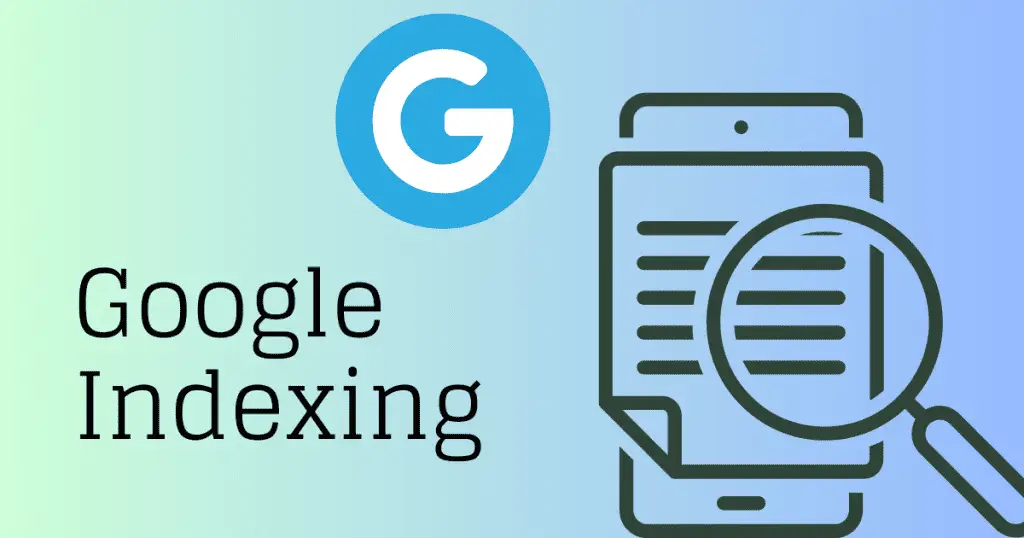
How to get Google to index new content fast is one of the most critical challenges facing website owners and digital marketers today. If you have ever published a new blog post or page and waited weeks for it to appear in Google search results, you are not alone. The good news is that there is a simple internal linking strategy that can speed up the indexing process and help Google discover your new content sooner.
TLDR: The 1-Minute Fast Indexing Strategy
Site Command Discovery
Use site:yourwebsite.com keyword to find existing indexed pages for strategic link placement.
Strategic Internal Links
Add 2-3 contextual links from high-authority pages to your new content for faster discovery.
Faster Discovery
Links from already-indexed pages help Google find your new content sooner than waiting for organic discovery.
Crawler Pathways
Internal links create direct pathways for Google bots to discover and crawl new content efficiently.
SEO Authority
Transfer link equity from established pages to new content for better ranking potential.
Understanding Google Indexing: The Foundation of Online Visibility
What is Google Indexing?
Google indexing is the process where Google crawling bots discover, analyze, and store your web pages in their massive search database. This is a critical step because if your content is not indexed, it will not appear in search results regardless of how well-optimized it is. The indexing process involves three main stages: crawling, indexing, and ranking.
Crawling Stage
Google bots discover and visit your web pages through links, sitemaps, and other discovery methods to analyze your content.
Indexing Stage
Google analyzes and stores your page content, understanding the topics, keywords, and relevance for search queries.
Ranking Stage
Google determines where your page should appear in search results based on relevance, authority, and user experience factors.
Why Fast Indexing Matters for Your Business
Speed of indexing directly impacts your business success. Getting your content indexed quickly provides significant advantages in today competitive digital landscape.
Business Impact
- Competitive advantage by ranking before competitors publish similar topics
- Time-sensitive content like news and promotions need immediate visibility
- Revenue impact through quicker traffic generation and lead conversion
- SEO momentum building your site authority and trustworthiness
Performance Metrics
- Faster visibility means earlier traffic and engagement
- Improved search engine trust and crawl frequency
- Better conversion opportunities from early traffic
- Enhanced brand authority through consistent content publishing
The Power of Internal Linking for Faster Indexing
How Internal Links Accelerate Discovery
Internal links serve as pathways that guide search engine crawlers through your website. When Google bots crawl an already-indexed page and find a link to your new content, they follow that link and discover your new page much faster than through traditional crawling methods.
The Science Behind Internal Linking for Indexing
- Internal links help search engines understand your site structure and content relationships
- They distribute link equity or authority from established pages to new ones
- They create clear pathways for crawlers to discover and index new content efficiently
- Strategic linking signals topical relevance and content hierarchy to search engines
Benefits of Strategic Internal Linking
SEO Advantages
- Enhanced crawling efficiency: Direct routes for search engine bots to find new pages
- Authority distribution: Pass ranking power from high-authority pages to newer content
- Improved site architecture: Logical structure both users and search engines can navigate
User Experience Benefits
- Better user experience: Strategic linking keeps visitors engaged
- Reduced bounce rates: Related content keeps users exploring your site
- Increased page views: Natural content discovery through internal navigation
The 1-Minute Internal Linking Strategy: Step-by-Step Guide
Step 1: Prepare Your New Content Link
After publishing your new blog post or page, copy the complete URL of your new content. This will be the destination link you will be adding to your existing pages.
Content preparation essentials:
- Copy the complete URL of your new content after publishing
- Ensure proper title tags containing your target keywords
- Write compelling meta descriptions that encourage clicks
- Structure content with proper header hierarchy (H1, H2, H3)
- Create high-quality, valuable content that serves user intent
Step 2: Use Google Site Command for Keyword Discovery
The site command is your secret weapon for finding relevant pages on your website. This powerful search operator shows you all indexed pages that contain your target keyword.
Site command implementation:
- Open Google in your browser and use the site command effectively
- Type site:yourwebsite.com "target keyword" replacing with your domain
- Replace target keyword with the main keyword you want to rank for
- Review all indexed pages that contain your target keyword
- Identify the strongest pages to link from based on search results
Example Site Command Usage
site:techdevs.in digital marketing tipsThis command finds all pages on techdevs.in that contain the phrase digital marketing tips
Understanding Site Command Results
The site command shows you all indexed pages on your website that contain your target keyword. This is incredibly valuable because you can see which existing pages are already ranking for related terms, identify the strongest pages to link from, and discover content gaps and opportunities for internal linking.
Step 3: Select High-Authority Pages for Linking
Quality over quantity is crucial for internal linking success. Focus on pages that will provide the most value for your new content discovery.
Page selection criteria:
- Click on the most relevant results from your site command search
- Focus on pages with high traffic and engagement metrics
- Select pages that rank well for related keywords
- Choose topically relevant pages to your new content
- Prioritize pages with established authority in search results
Step 4: Find Exact Keyword Placement
Once you are on the selected page, use Ctrl+F or Cmd+F on Mac to search for your target keyword. This helps you locate the exact context where your keyword appears, identify the most natural place to insert your internal link, and ensure the link placement makes sense for readers.
Keyword Search Process
- Press Ctrl+F or Cmd+F to open browser search
- Type your target keyword to highlight all instances
- Review each highlighted instance for link placement
- Choose the most contextually relevant location
Step 5: Create Contextual Internal Links
Transform your target keyword into a clickable link that points to your new content. This step requires careful attention to anchor text and contextual relevance.
Contextual linking best practices:
- Use Ctrl+F or Cmd+F to search for your target keyword on the page
- Locate the exact context where your keyword appears naturally
- Transform your target keyword into a clickable link to new content
- Use descriptive, natural-sounding anchor text for better SEO
- Ensure the link placement makes sense for readers and context
Technical Implementation
<a href="https://yourwebsite.com/new-page">your target keyword</a>Step 6: Repeat for Multiple Pages
Create 2-3 internal links from different high-authority pages to your new content. This multi-point linking strategy increases the likelihood of faster discovery, distributes link equity from multiple sources, creates various pathways for crawlers to find your content, and strengthens the topical relevance signals.
Advanced Internal Linking Strategies for Maximum Impact
Creating Topic Clusters Through Internal Linking
Topic clusters are groups of related content connected through strategic internal linking. This approach helps establish your website as an authority on specific subjects and improves overall indexing efficiency.
Building Effective Topic Clusters
Topic cluster development strategy:
- Identify your main pillar content covering comprehensive broad topics
- Create supporting cluster content with detailed posts on specific subtopics
- Link cluster pages to the pillar page to establish topical authority
- Cross-link related cluster pages to create a web of relevant content
- Build internal link hierarchies that reflect your content strategy
Leveraging High-Traffic Pages for Link Placement
Your homepage and highest-traffic pages carry the most link equity and are crawled most frequently by search engines. Strategic use of these pages can significantly accelerate new content discovery.
Homepage Strategy
- Link to your most important new content from the homepage
- Use navigation menus and content blocks to highlight new pages
- Implement breadcrumb navigation for better site structure
- Feature new content in homepage content sections
High-Traffic Page Optimization
- Identify top-performing pages using Google Analytics
- Add contextual links to new content from these authority pages
- Update existing content to include references to new posts
- Monitor crawl frequency of these pages for optimal timing
Geographic Targeting Through Internal Linking
For businesses serving specific geographic areas, internal linking can boost local SEO performance and create opportunities that larger competitors often miss.
Local SEO Internal Linking
- Create location-specific landing pages for each service area
- Link between related local pages like city pages and service pages
- Use geo-targeted anchor text naturally within content
- Build internal links from main service pages to location-specific pages
Geographic Benefits
- Improved local search rankings for targeted areas
- Better user experience for location-specific searches
- Increased relevance for near me search queries
- Enhanced authority for local business listings
Technical SEO Considerations for Faster Indexing
Optimizing Site Structure for Crawlability
A well-organized site structure makes it easier for search engines to crawl and index your content efficiently. Technical optimization works hand-in-hand with internal linking to maximize indexing speed.
Technical Infrastructure Essentials
Site structure optimization:
- Submit updated XML sitemaps to Google Search Console regularly
- Optimize robots.txt file to ensure important pages are not blocked
- Use clean, descriptive URLs that include target keywords naturally
- Achieve fast loading speeds as they are crawled and indexed quicker
- Implement proper site structure for enhanced crawlability
Using Google Search Console for Indexing Acceleration
Google Search Console offers several tools to speed up the indexing process beyond internal linking strategies.
Search Console Tools
- URL Inspection Tool: Submit individual URLs for manual indexing
- Sitemap submission: Keep sitemaps updated and monitor status
- Index coverage reports: Monitor indexed pages and identify issues
- Core Web Vitals: Ensure pages meet performance standards
Advanced Techniques
- RSS feed submission: Create feeds for latest content
- Social media amplification: Share content for additional discovery
- External link building: Quality backlinks accelerate indexing
- Content freshness signals: Regular updates signal active maintenance
Common Mistakes to Avoid in Internal Linking
Over-Optimization Pitfalls
While internal linking is powerful for indexing, over-optimization can harm your SEO efforts. Understanding what to avoid is crucial for maintaining effectiveness.
Critical Mistakes to Avoid
Internal linking mistakes prevention:
- Avoid excessive exact-match anchor text that appears unnatural
- Do not link between completely unrelated pages or topics
- Prevent link stuffing by limiting internal links per page
- Regularly audit and fix broken internal links across your site
- Focus on link relevance and user experience over quantity
Maintaining Link Quality
Best Practices
- Ensure all internal links add value for users
- Regularly audit and update internal links
- Monitor click-through rates on internal links
- Test link placements for user engagement
Quality Indicators
- Links should feel natural within content flow
- Anchor text should be descriptive and helpful
- Link destinations should match user expectations
- Overall linking strategy should serve user intent
Measuring the Success of Your Internal Linking Strategy
Key Performance Indicators
Track these metrics to measure the effectiveness of your internal linking efforts and ensure your strategy is delivering the expected indexing acceleration.
Essential Performance Metrics
Critical KPIs to monitor:
- Monitor indexing speed using Google Search Console coverage reports
- Track organic traffic growth to new content using analytics
- Measure ranking improvements for pages with new internal links
- Monitor user engagement metrics like time on page and bounce rate
- Use URL Inspection tool to check indexing status of new pages
Tools for Monitoring Internal Link Performance
Essential Monitoring Tools
- Google Search Console: Monitor indexing status and search performance
- Google Analytics: Track user behavior and traffic patterns
- SEO tools: Use Ahrefs or SEMrush for link equity analysis
- WordPress plugins: Tools like Link Whisper for automation
Monitoring Process
- Set up automated alerts for indexing status changes
- Create weekly reports on new content performance
- Track internal link click-through rates
- Monitor crawl frequency changes in Search Console
Why Choose TechDevs for Your SEO Success
At TechDevs, we do not just teach internal linking strategies we implement comprehensive SEO solutions for businesses across India and beyond.
What We Focus On
- Local SEO expertise helps businesses dominate their markets
- Technical SEO mastery from site structure to crawling strategies
- Transparent reporting with detailed analytics and progress tracking
TechDevs Advantages
- Data-driven strategies based on real performance metrics
- Custom solutions tailored to your industry and audience
- White-hat techniques that build long-term SEO success
- Comprehensive training for your team on SEO best practices
Frequently Asked Questions
How long does it take for Google to index new content using this method?
Strategic internal linking from already-indexed pages helps Google discover new content sooner than waiting for organic discovery. The exact timing depends on your site authority, crawl frequency, and the quality of your internal linking strategy.
Can I use this technique too frequently without penalty?
Yes, this is a completely natural and recommended SEO practice. There is no penalty for strategic internal linking as long as you focus on relevance and user value. However, avoid over-optimization by varying your anchor text and ensuring all links serve a genuine purpose for your readers.
Does this work for all types of websites and content?
This internal linking strategy works effectively for all website types blogs, e-commerce sites, service businesses, and corporate websites. The key is adapting the approach to your specific content structure and target audience. Local businesses can particularly benefit by incorporating geo-targeted keywords and location-specific internal linking.
How many internal links should I add to each new piece of content?
We recommend creating 2-3 high-quality internal links from relevant, authoritative pages to each new piece of content. Focus on quality over quantity it is better to have fewer links from highly relevant, high-authority pages than many links from less relevant sources.
What if I do not have existing content to link from?
If you are starting with a new website, focus first on creating a solid foundation of 10-15 high-quality pages covering your main topics and services. Once you have this base content indexed, you can implement the internal linking strategy for new posts. In the meantime, submit your sitemap to Google Search Console and use the URL Inspection tool for manual indexing requests.
Ready to Accelerate Your Website Indexing and Dominate Search Results?
The 1-minute internal linking strategy outlined in this comprehensive guide can help you reduce the time it takes Google to discover your content. By implementing these techniques, you give your valuable content a better chance of being discovered by search engines quickly.
TechDevs specializes in advanced SEO strategies for businesses ready to maximize their online visibility. Our internal linking methodology, combined with comprehensive technical SEO optimization, helps your content get the visibility it deserves.
What You Get with TechDevs:
- Rapid indexing implementation using our 1-minute internal linking strategy
- Complete technical SEO audit identifying all crawlability and indexing issues
- Custom site structure optimization designed for maximum search engine efficiency
- Ongoing monitoring and optimization to maintain fast indexing and improved rankings
Do not let slow indexing hold back your content marketing success. Contact TechDevs today to discuss how our indexing methodology can support your content marketing.
Ready to Get Your Content Indexed Faster?
Stop waiting weeks for Google to discover your new content. Get a fast indexing strategy for your website.