
How to Supercharge Your SEO Research Using NotebookLM and Claude AI (With Ready-to-Use Prompts)
Learn how to combine NotebookLM and Claude AI for powerful SEO research and content creation. Includes expert prompts, automation tips, and step-by-step workflows.
 Written byPrasad Iyer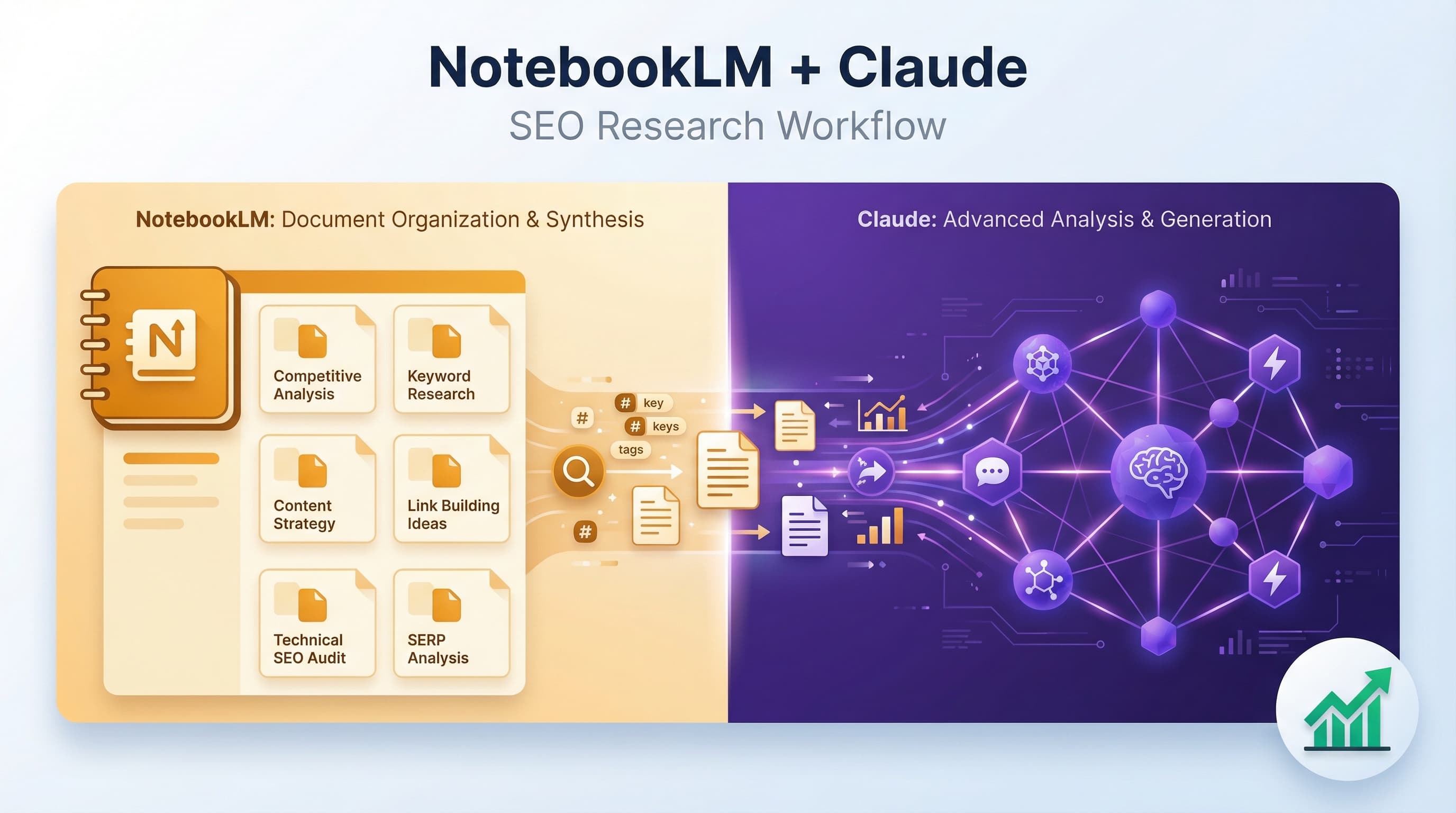
Table of contents
Summarize this article with AI
TL;DR
SEO research and content creation don't have to be chaotic. By connecting NotebookLM and Claude, you can streamline your entire workflow from research to published content. This guide shows you how to set up the integration, provides ready-to-use prompts for both research and writing, and helps you build an automated content pipeline that saves time while improving quality.
- 5-Minute Setup. Connect Claude Desktop to NotebookLM using the MCP server for seamless automation
- Research-Driven Content. Upload competitor articles and keyword data to identify gaps and unique angles
- Ready-to-Use Prompts. Copy-paste prompts for keyword analysis, content outlines, and SEO optimization
- Automated Workflows. Build end-to-end pipelines that move from research to polished drafts automatically
Why NotebookLM and Claude Are a Game-Changer for SEO Research
If you've ever tried to write a research-heavy blog post, you know the pain. Fifteen browser tabs open. Screenshots scattered across folders. Notes buried in Google Docs from three months ago. The actual writing becomes an endless cycle of switching and searching, trying to connect the dots while your ideas get lost in the chaos.
I've been there. Most people think writing takes time because of the typing and editing. But the real time sink? It's the thinking, the connecting, the organizing. That's where hours disappear.
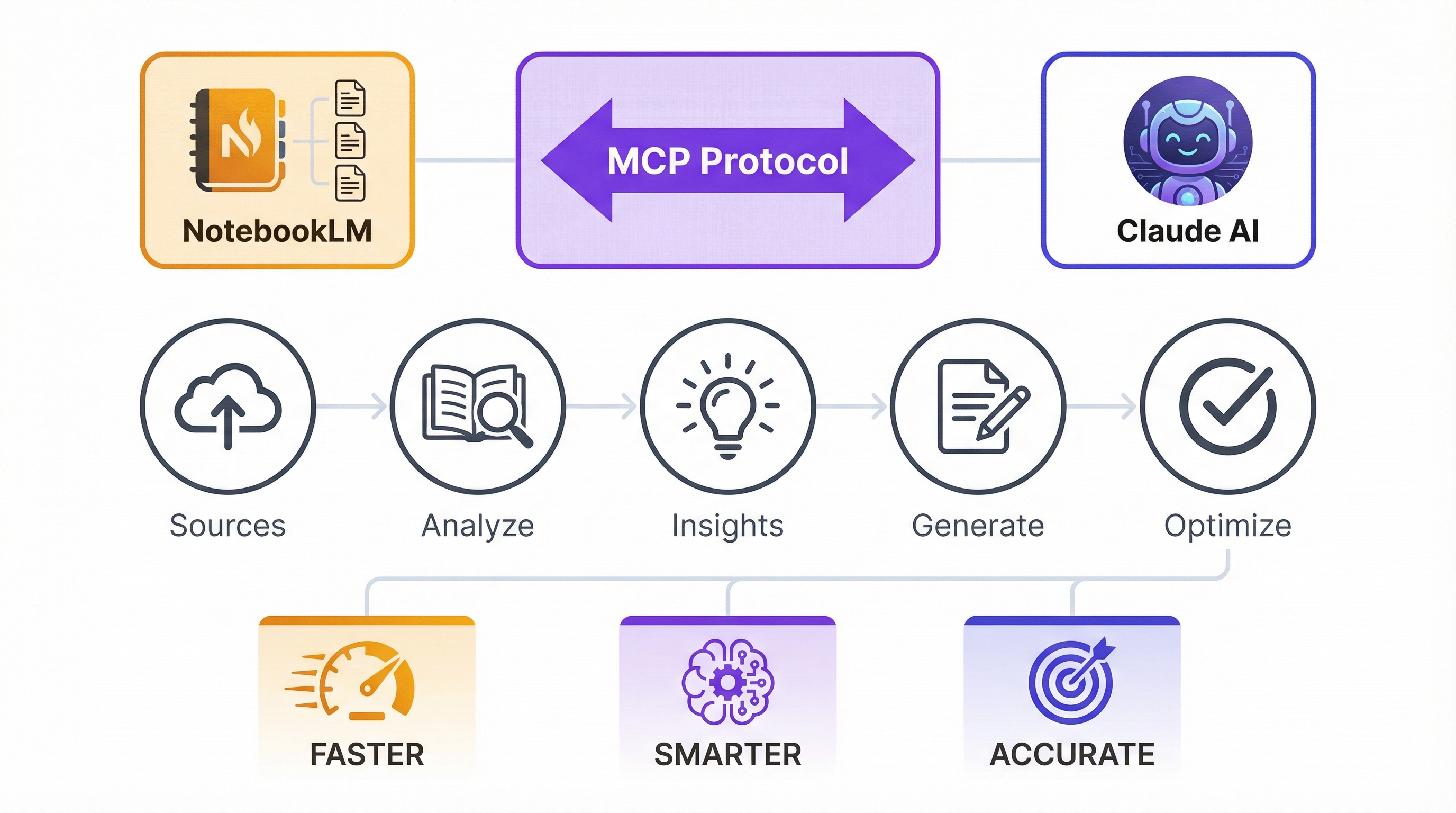
NotebookLM solves the organization problem. It's Google's AI-powered research tool that lets you upload sources (PDFs, articles, notes, whatever) and have conversations about them. But here's where it gets interesting: when you connect NotebookLM to Claude Desktop using the Model Context Protocol (MCP), you unlock a whole new level of automation.
Claude becomes your research analyst and writing partner, pulling insights from your organized NotebookLM sources and generating SEO-optimized content without you leaving the desktop app. You're not just collecting research anymore. You're building an automated content pipeline.
Setting Up Your NotebookLM and Claude Integration for SEO Workflows
The setup process takes less than five minutes. You'll install the NotebookLM MCP server, authenticate with your Google account, and configure Claude Desktop to communicate with your notebooks. The best part? It works on Claude's free plan, so you don't need a paid subscription to get started.
Setup Requirements
Claude Desktop app installed on your Mac or Windows machine
Python and the uv tool for installing the MCP server via PyPI
Google account with access to NotebookLM
Basic familiarity with editing JSON configuration files
First, you'll install the NotebookLM MCP server using the uv tool. This creates a bridge between Claude Desktop and your NotebookLM notebooks. The installation pulls the package directly from PyPI, making updates and maintenance straightforward.
Next comes authentication. You'll run the NotebookLM authentication tool, which opens a browser window to connect your Google account. This gives Claude permission to read your notebooks and trigger actions like generating study guides or creating infographics.
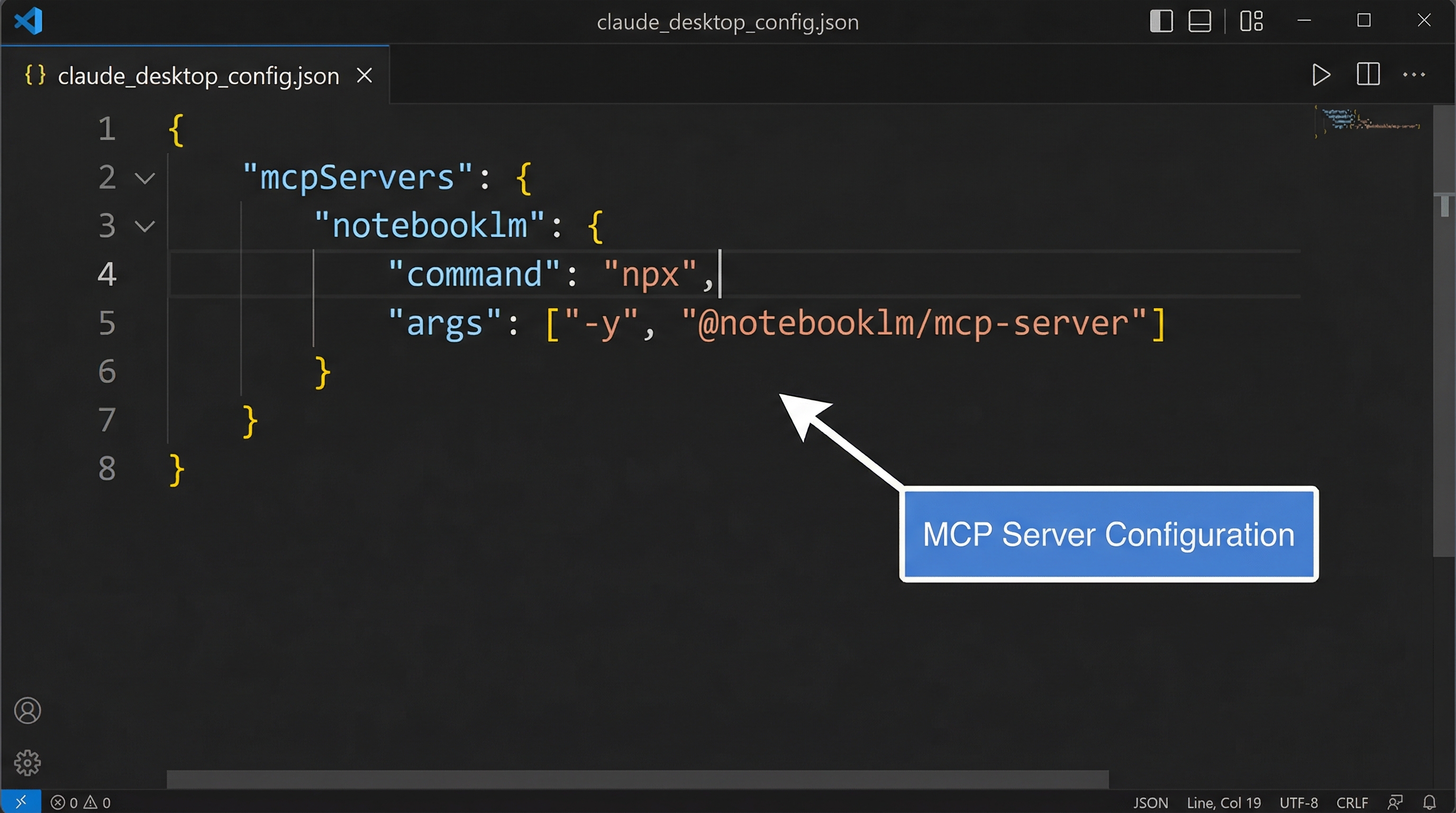
The final step is configuring the Claude Desktop JSON file. You'll add the MCP server details to tell Claude where to find your NotebookLM connection. After restarting Claude Desktop, you can test the connection by asking Claude to list your notebooks or query specific sources.
Common Setup Questions
What is the NotebookLM MCP and how does it connect to Claude?
The NotebookLM MCP (Model Context Protocol) is a server that acts as a bridge between Claude Desktop and Google's NotebookLM. It allows Claude to read your notebooks, query sources, and trigger actions like generating study guides without leaving the Claude interface. Think of it as an API that lets two AI tools talk to each other.
Can I use NotebookLM and Claude for SEO research on the free plan?
Yes. The integration works with Claude Desktop's free plan, though you'll have usage limits on how many queries you can make per day. For most SEO research and content creation workflows, the free tier provides enough capacity to get started.
How do I authenticate NotebookLM with Claude Desktop?
After installing the MCP server, you'll run an authentication tool that opens a browser window. Sign in with your Google account and grant permissions for Claude to access your NotebookLM data. The authentication token gets stored locally, so you only need to do this once unless you revoke access.
SEO-Specific Research Methodologies Using NotebookLM
Here's where the magic happens. You're not just storing research in NotebookLM. You're building a knowledge base that Claude can analyze to uncover SEO opportunities.
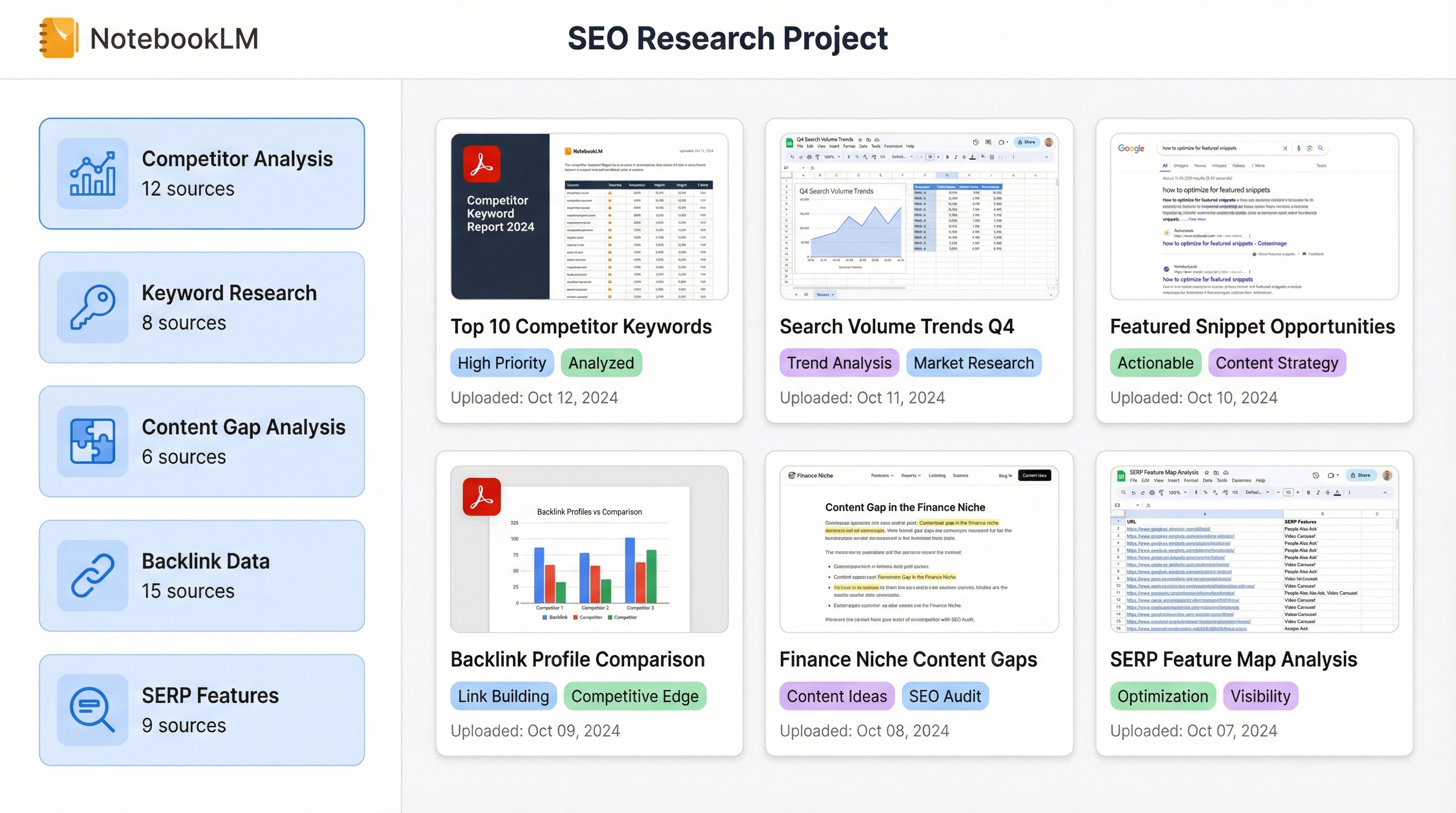
Start by uploading competitor content. Copy the top 10 ranking articles for your target keyword and paste them into a NotebookLM notebook. Add your keyword research data, industry studies, and any internal content you've already published. NotebookLM organizes all of this into a searchable, conversational interface.
Content Gap Analysis
Upload competitor articles and ask Claude to identify topics they cover that you don't. Find the holes in your content strategy.
Topic Clustering
Organize sources by pillar topics and supporting subtopics. Build content hubs that demonstrate topical authority to search engines.
Search Intent Mapping
Analyze how competitors address different search intents (informational, commercial, transactional) and find underserved angles.
Unique Angle Discovery
Track connections between research pieces to uncover perspectives competitors missed. Stand out in crowded SERPs.
One writer I know uses NotebookLM for every research-heavy article. She uploads sources, has conversations with the AI about them, and returns to earlier insights whenever she needs them. In September, when NotebookLM expanded its capabilities, she discovered she could do more than just organize research. She could make it write in her voice.
Create separate notebooks for each content pillar or client project to keep research organized
Use NotebookLM's study guide feature to distill complex SEO data into actionable summaries
Tag sources by content type (competitor analysis, keyword data, industry trends) for easy filtering
Export conversation history to track how your research thinking evolved over time
Essential Prompts for SEO Research with NotebookLM and Claude
Good prompts are the difference between generic AI output and insights that actually move the needle. Here are the prompts I use for SEO research. Copy them, customize them for your niche, and watch how much faster your research goes.
Research Prompt Library
Keyword Gap Analysis
Prompt: 'Analyze these competitor articles and identify keywords they rank for that we don't cover. For each keyword gap, suggest the content format and angle that would work best based on current SERP patterns.'
This prompt helps you find low-hanging fruit. You're not just identifying missing keywords. You're getting recommendations on how to target them effectively.
Content Angle Discovery
Prompt: 'Based on these sources, what unique perspectives are missing from existing content on [topic]? Look for angles that competitors haven't explored but that would satisfy user intent based on the keyword data.'
Use this when you're tired of writing the same article everyone else published. It pushes Claude to find the gaps in conventional wisdom.
Search Intent Categorization
Prompt: 'Categorize the search intent behind these keywords (informational, commercial investigation, transactional, navigational). For each intent category, suggest the ideal content format and structure.'
This one saves hours of manual SERP analysis. You'll know exactly what type of content to create for each keyword before you write a single word.
SERP Feature Analysis
Prompt: 'Compare these top-ranking articles and extract: 1) Common structural elements, 2) Unique differentiators that helped each rank, 3) SERP features they're capturing (featured snippets, people also ask, etc.), 4) Opportunities we could exploit.'
This turns competitor research into a strategic playbook. You'll see patterns you'd miss reading articles one by one.
Topic Cluster Planning
Prompt: 'Organize these sources into pillar topics and supporting subtopics for a content hub. For each pillar, identify: 1) The main keyword target, 2) Supporting long-tail keywords for subtopics, 3) Internal linking opportunities, 4) Content gaps we need to fill.'
Perfect for building topical authority. This prompt creates your entire content calendar structure in one shot.
The key to these prompts is specificity. Don't just ask Claude to 'analyze competitors.' Tell it exactly what to look for and how to structure the output. The more specific your prompt, the more actionable the insights.
When you're doing research, every new piece of information opens another path worth following. NotebookLM keeps you from getting lost in that maze.
Daria Cupareanu, AI blew my mind
Content Creation Prompts: From Research to SEO-Optimized Drafts
Research is only half the battle. Now you need to turn those insights into content that ranks. These prompts take you from a pile of research to a polished, SEO-optimized draft.
Outline Generation: 'Create a detailed blog outline for [keyword] that addresses these research gaps: [list specific gaps from your analysis]. Structure it to capture featured snippet opportunities and include natural places for internal links to [related topics].'
Introduction Hook: 'Write an engaging introduction that hooks readers searching for [keyword]. Incorporate these data points: [specific stats or insights]. Open with a relatable problem statement, not a generic definition.'
Section Expansion: 'Expand this outline section using data from sources [X, Y, Z]. Maintain a [professional/conversational/technical] tone. Target [specific audience]. Include at least one concrete example or case study.'
Meta Content Optimization: 'Generate 5 title options under 60 characters optimized for [focus keyword]. Then create meta descriptions under 160 characters for each title. Make them click-worthy without being clickbait.'
Internal Linking Strategy: 'Based on these existing articles [list URLs or topics] and the current draft, suggest 3-5 internal linking opportunities. For each suggestion, provide: 1) Where to place the link, 2) Anchor text that feels natural, 3) Why this link adds value for readers.'
Here's something most people miss: you can chain these prompts together. Start with the outline prompt, then use the outline as context for the introduction prompt, then expand each section one by one. This creates a workflow where each step builds on the last, maintaining consistency throughout the piece.
If you're working with clients or building content at scale, consider automating your SEO workflows to handle the repetitive parts. You can template these prompts, connect them to your content calendar, and create a production line that consistently outputs high-quality drafts.
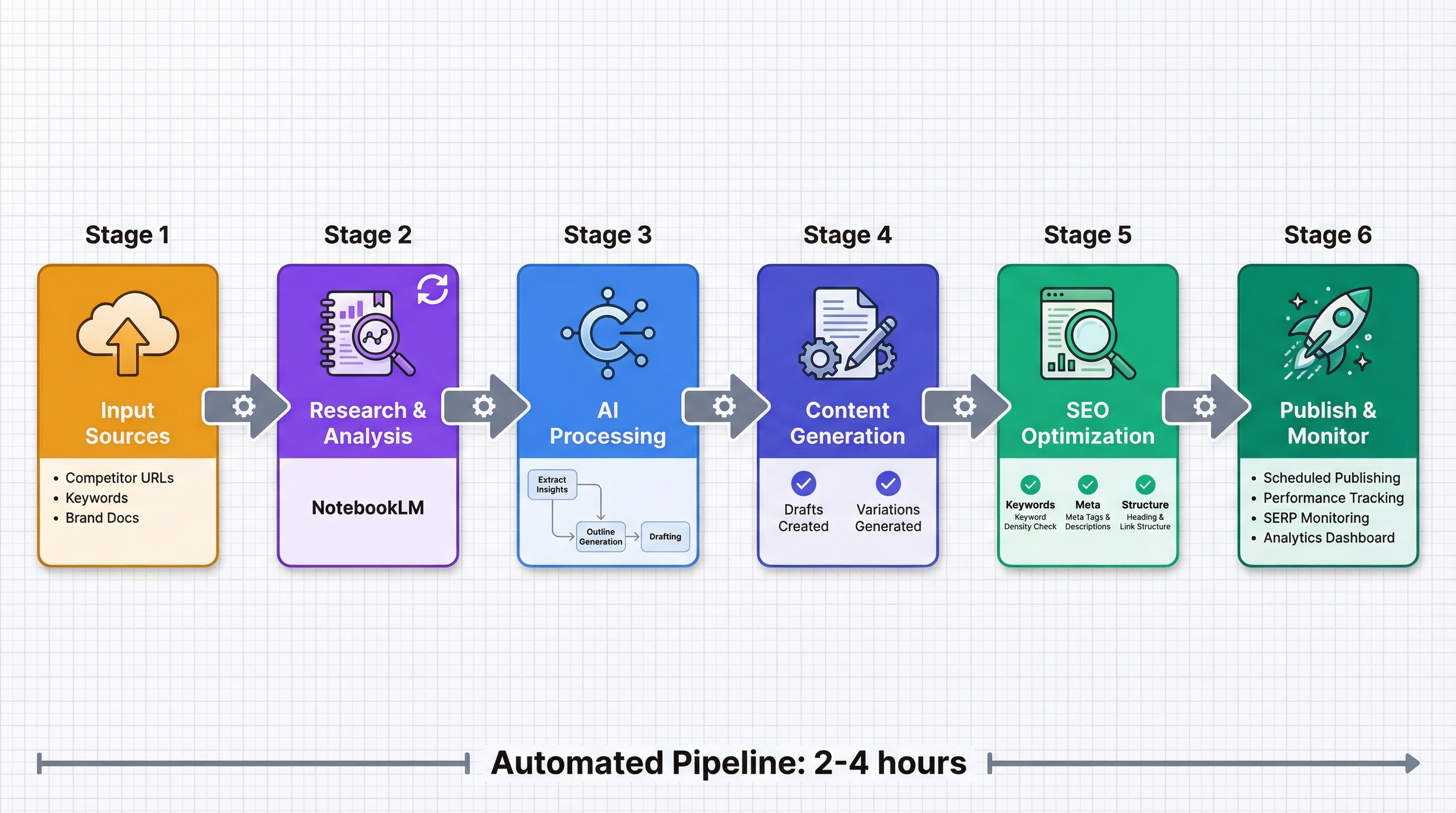
Building an End-to-End SEO Content Pipeline with Automation
Once you've got the research and writing prompts down, it's time to think bigger. How do you scale this? How do you turn a manual process into a repeatable system that works for multiple clients or content pillars?
Start by creating dedicated NotebookLM notebooks for each content pillar or client. One notebook for 'SEO Tools,' another for 'Content Marketing Strategies,' another for 'Technical SEO.' This keeps research organized and makes it easy to jump between projects without losing context.
Automated Research Summaries
Use Claude's MCP integration to trigger weekly summaries of new sources added to each notebook. Stay on top of industry changes without manual monitoring.
Content Brief Generation
Template your outline prompts so Claude automatically generates content briefs when you add competitor research to a notebook.
Performance-Driven Updates
Connect analytics data to NotebookLM. When a piece underperforms, Claude analyzes what's missing and suggests updates based on current top-rankers.
The real power comes when you connect performance data back into the system. Upload Google Search Console data showing which pages are losing rankings. Feed that into NotebookLM along with current top-ranking competitors. Claude can analyze what changed in the SERP and suggest specific updates to regain your position.
Pros
Consistent output quality across multiple projects
Faster turnaround from research to published content
Easier to scale content production without hiring more writers
Built-in quality checks through templated prompts
Performance data feeds directly into content improvements
Cons
Initial setup time to build templates and workflows
Requires regular maintenance to keep prompts effective
Can feel less creative if you rely too heavily on templates
Need to monitor for AI-generated content patterns that feel robotic
For consulting firms and agencies, this automation approach becomes a competitive advantage. You can deliver research-driven content strategies at a fraction of the time it would take manually. That means better margins, faster client turnaround, and more capacity to take on new projects.
Advanced Techniques: Custom MCP Servers and Industry-Specific Knowledge Bases
If you're serious about making this a core part of your content operation, you can go deeper. Build custom MCP servers tailored to specific industries or create proprietary knowledge bases that combine client data with competitive intelligence.
Let's say you work in healthcare SEO. You could create a custom NotebookLM MCP server that automatically pulls the latest medical studies, FDA announcements, and healthcare industry news. Feed that into notebooks organized by medical specialty. Now when you need to write about a new treatment, Claude has access to the most current, authoritative sources without you manually uploading them.
Design industry-specific prompt libraries that account for regulatory requirements, technical jargon, and audience expertise levels
Build feedback loops that track which prompts produce the best-performing content, then refine your templates based on real results
Integrate with SEO tool APIs (Ahrefs, SEMrush, etc.) to pull real-time keyword and ranking data directly into NotebookLM for analysis
Create white-label workflows you can deploy for multiple clients with minimal customization
Develop custom knowledge bases that combine proprietary client data with public competitive intelligence for truly unique insights
The GitHub repository for the NotebookLM MCP is open source, which means you can fork it and add custom functionality. Want to automatically tag sources by content type? Build it. Need to integrate with your project management tool? Add an API connection. The flexibility is there if you're willing to invest the development time.
Security, Privacy, and Performance Measurement Best Practices
Before you upload sensitive client data to NotebookLM or start automating workflows, you need to think about security and compliance. Both Google and Anthropic have data handling policies, but you're responsible for understanding how they apply to your specific situation.
Security and Compliance Checklist
Review NotebookLM and Claude's data retention and privacy policies
Implement access controls for team members working with shared notebooks
Avoid uploading personally identifiable information (PII) or protected health information (PHI) unless you've verified compliance
Set up separate Google accounts for different clients to maintain data isolation
Document your data handling procedures for client audits
Monitor API usage and costs to avoid unexpected bills
For performance measurement, you need to track more than just content output. Yes, you're producing drafts faster. But are they ranking? Are they driving traffic? Are they converting?
Set up a tracking system that connects your AI-assisted content to actual SEO results. Tag articles created with this workflow in your CMS. Track their rankings, organic traffic, and engagement metrics separately from traditionally written content. After a few months, you'll have real data on whether this approach actually works for your specific niche and audience.
Common Questions About Security and Performance
Is my client data secure when using NotebookLM and Claude together?
Both platforms have enterprise-grade security, but you're still uploading data to cloud services. Read their privacy policies carefully. For highly sensitive industries (legal, healthcare, finance), consider whether cloud-based AI tools meet your compliance requirements. You may need to stick with on-premise solutions or get explicit client consent before uploading their data.
How do I measure if AI-assisted content performs as well as human-written content?
Track key metrics separately: time to rank, average position, organic traffic, engagement (time on page, scroll depth), and conversions. Compare AI-assisted pieces to your baseline. If you're seeing similar or better results in less time, the workflow is working. If performance drops, dig into why. Is the content too generic? Missing key insights? Not matching search intent?
What are the best prompts for keyword gap analysis with Claude and NotebookLM?
Start with: 'Analyze these competitor articles and identify keywords they rank for that we don't cover. For each gap, suggest the content angle and format that would work best.' Then follow up with: 'Prioritize these gaps by search volume and ranking difficulty. Which ones should we target first?' This two-step approach gives you both the opportunities and a prioritized action plan.
Ready to Transform Your SEO Content Workflow?
We help businesses build automated, research-driven content strategies that actually rank. Whether you need help setting up your NotebookLM and Claude integration, want custom workflows for your team, or need a complete SEO content system, we've got you covered.