Fix Your Website Speed in 1 Hour (No Developer Needed)
Boost your website speed in just 1 hour without a developer. Learn easy optimization techniques that improve load times and SEO rankings instantly.
 Written byPrasad Iyer
Table of contents
Summarize this article with AI
TL;DR
You don't need a developer to fix a slow website. Most speed issues come from bloated images, missing cache settings, and render-blocking scripts. With the right free tools and a focused hour, you can cut your load time in half and boost conversions by double digits.
- Speed Drives Revenue. A 0.1-second improvement in loading speed can increase retail conversions by 8.4%
- One Hour, Real Results. Break optimization into four 15-minute sprints targeting images, caching, and Core Web Vitals
- No Code Required. Use platform settings, free compression tools, and AI-powered solutions that deploy in 30 minutes
- Fix What Matters Most. Focus on LCP, INP, and CLS - the Core Web Vitals that Google actually measures
- Free Tools Work. PageSpeed Insights, TinyPNG, and Cloudflare's free tier handle 90% of optimization needs
Why Website Speed Optimization Matters More Than Ever
Your website is hemorrhaging money while you read this. Every extra second of load time is a customer who bounced, a lead who gave up, a sale you'll never see. And the worst part? Most business owners have no idea it's happening.
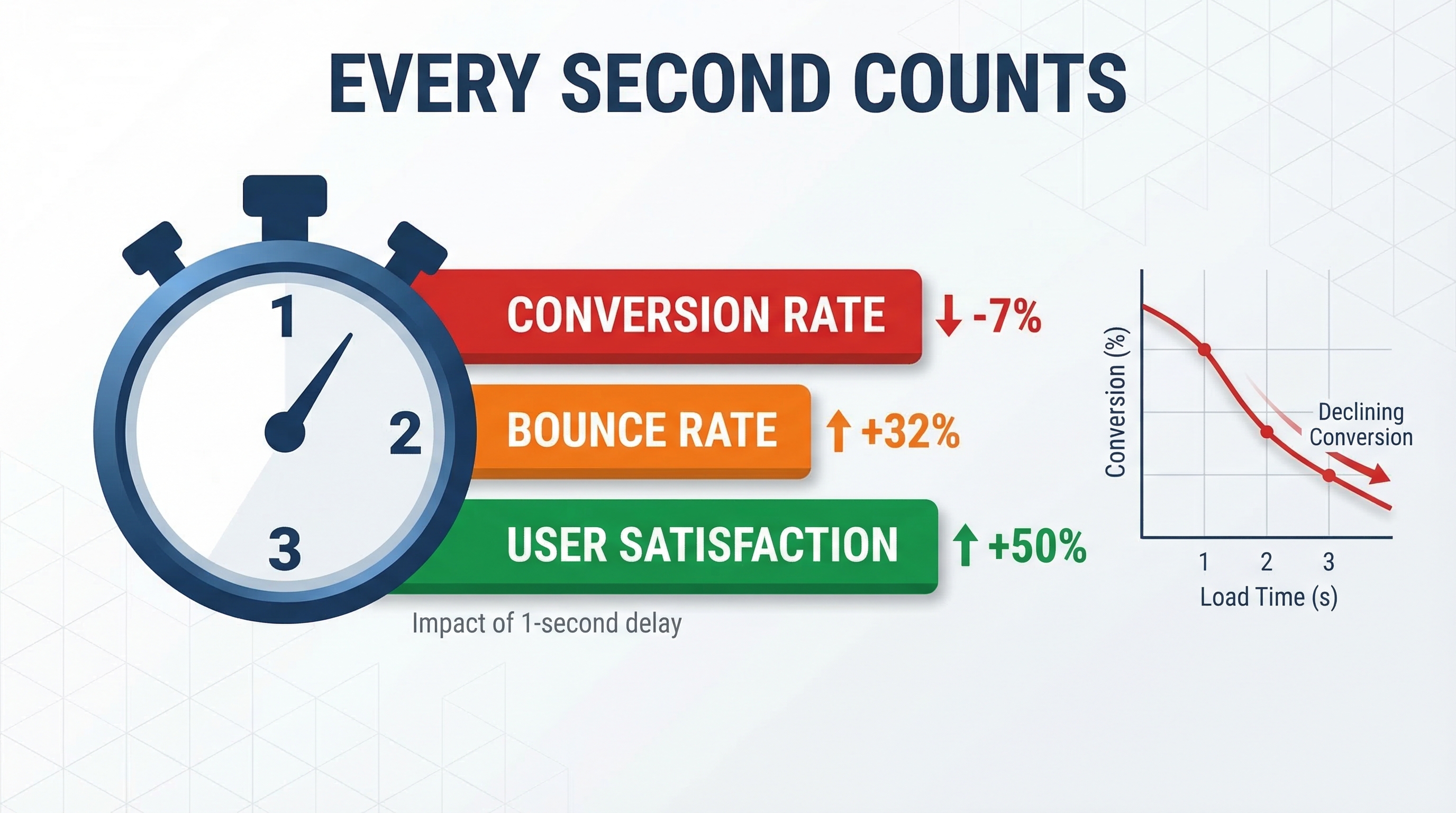
Here's what the data actually shows: a 0.1-second improvement in loading speed can boost retail conversions by 8.4%. Not 0.1%, but 8.4%. That's not a rounding error. That's the difference between a profitable quarter and a mediocre one.
Page speed isn't just a Google ranking factor anymore. It's a direct driver of user experience, and modern consumers have rising expectations for instant loading times. Markets are getting more saturated. Customers are getting more impatient. Your competitors are getting faster.
The 1-Hour Speed Optimization Roadmap
You don't need a developer. You don't need to read documentation. You need a plan. Here's how to spend the next 60 minutes fixing your website speed without touching a single line of code.
Break the hour into four 15-minute sprints. Each sprint targets a specific bottleneck. No multitasking. No rabbit holes. Just focused work on high-impact changes.
Your 60-Minute Battle Plan
Sprint 1 (0-15 min): Run diagnostics and identify your biggest speed killers
Sprint 2 (15-30 min): Compress and optimize images without quality loss
Sprint 3 (30-45 min): Enable caching and CDN through platform settings
Sprint 4 (45-60 min): Deploy AI-powered optimization or verify improvements
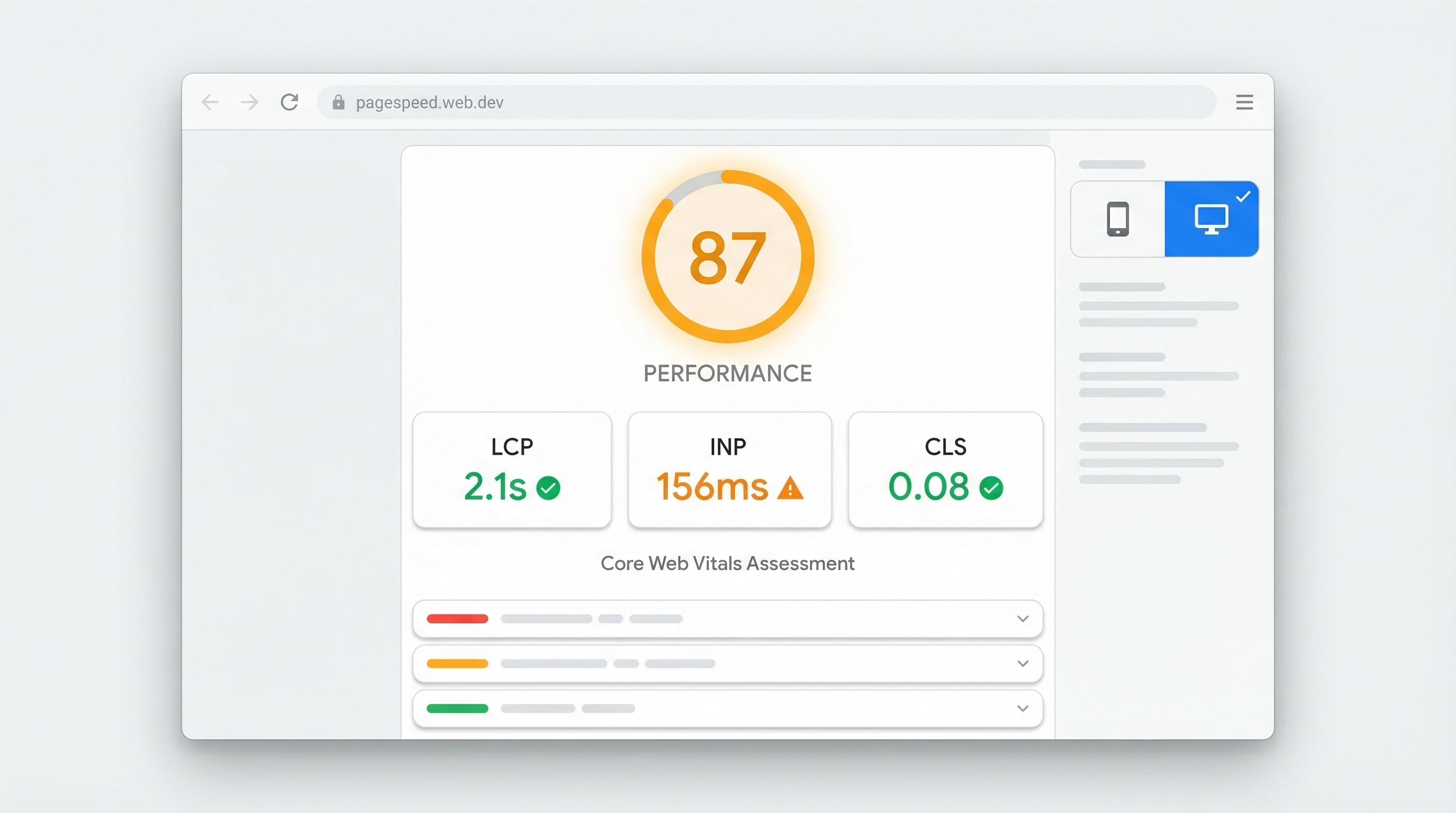
The secret? Prioritize ruthlessly. Your goal isn't to fix everything. It's to fix the things that matter. Focus on Core Web Vitals: Largest Contentful Paint (LCP), Interaction to Next Paint (INP), and Cumulative Layout Shift (CLS). These are the metrics Google actually measures for ranking and user experience.
LCP: Loading Speed
How fast your largest element appears. Target: under 2.5 seconds.
INP: Interactivity
How quickly your site responds to clicks. Target: under 200ms.
CLS: Visual Stability
How much your layout shifts while loading. Target: under 0.1.
Sprint 1: Diagnose Your Speed Issues (15 Minutes)
You can't fix what you don't measure. So stop guessing and start testing. The first 15 minutes are pure reconnaissance.
Go to Google PageSpeed Insights. Type in your URL. Hit enter. You'll get two types of data: field data (how real users experienced your site over the last 28 days) and lab data (a simulated test showing what needs fixing). Look for the "Poor" label next to LCP, INP, or CLS. That's your hit list.
PageSpeed Insights: Your baseline. Run it on your homepage and your top 3 landing pages.
GTmetrix: Gives you a waterfall chart showing exactly which files are slowing you down. Free account required.
Your browser's DevTools: Hit F12, go to Network tab, reload the page. Sort by size. The biggest files are your biggest problems.
Mobile test: Most traffic is mobile now. Test on a real phone or use Chrome's device emulator.
Write down your current scores. You need a before/after comparison to know if your changes actually worked. Most people skip this step and then wonder if they made any difference.
Common Speed Killers You'll Find
What if my LCP score is red?
Your largest element (usually a hero image or video) is taking too long to load. This is almost always an image size problem. You'll fix this in Sprint 2.
What does 'render-blocking resources' mean?
Your CSS and JavaScript files are stopping the page from displaying until they finish loading. This requires either deferring scripts or using a CDN. Sprint 3 handles this.
Why is my server response time (TTFB) so high?
Your hosting is slow, your database is bloated, or you're not using caching. Cheap shared hosting is usually the culprit. Upgrade your hosting or use a CDN to mask the problem.
What causes high CLS scores?
Elements shifting around while the page loads. Usually ads, embedded content, or images without defined dimensions. You need to reserve space for these elements before they load.
Sprint 2: Quick Image Wins Without Code (15 Minutes)
Images are the low-hanging fruit. They're also the biggest files on your site. A single uncompressed hero image can be 5MB. That's insane. You can cut it to 500KB without anyone noticing the difference.
Here's the brutal truth: your designer uploaded images at print resolution. Your website needs screen resolution. That's a 10x difference in file size for zero visual improvement.
Image Optimization Checklist
Download TinyPNG or Squoosh (both free). Drag your largest images in. Re-upload the compressed versions.
Enable lazy loading in your platform settings (WordPress, Shopify, etc. all have this built-in now).
Replace any hero image over 1920px wide. Nobody has a screen that big. 1920px is the max you need.
Add width and height attributes to prevent layout shift. Your CMS probably has fields for this.
Convert to WebP format if your platform supports it. WebP files are 25-35% smaller than JPEGs with identical quality.
If you're on WordPress, install ShortPixel or Smush. If you're on Shopify, use TinyIMG. These plugins automatically compress every image you upload from now on. Set it and forget it.
Pros
Manual: Free. No ongoing costs. You control quality settings.
Manual: Works on any platform without installing anything.
Plugin: Automatic. Every new image gets compressed without you thinking about it.
Plugin: Bulk optimization for existing images with one click.
Cons
Manual: You have to remember to do it every time. You won't.
Manual: No bulk processing for hundreds of existing images.
Plugin: Usually costs $5-10/month after the free tier.
Plugin: Adds another dependency to your site stack.
Most people see a 40-60% reduction in image file sizes after this sprint. That translates directly to faster LCP scores.
Sprint 3: Leverage Caching and CDN Solutions (15 Minutes)
Caching is the closest thing to free speed you'll ever find. It's also the most misunderstood. Here's the simple version: instead of rebuilding your page from scratch every time someone visits, caching saves a copy and serves that. Instant load.
Most hosting providers have caching built-in. You just need to turn it on. Go to your hosting control panel (cPanel, Plesk, or your host's custom dashboard). Look for "caching" or "performance" settings. Enable everything that says "cache."
Browser caching: Tells visitors' browsers to save static files locally. Enable this in your .htaccess file or hosting settings.
Server-side caching: Your server saves rendered pages. WordPress users: install WP Rocket or W3 Total Cache. Shopify users: this is built-in.
CDN (Content Delivery Network): Copies your site to servers around the world. Users load from the closest one. Cloudflare's free tier does this in 5 minutes.
Object caching: For database-heavy sites. Requires Redis or Memcached. Skip this unless you know what you're doing.
Cloudflare deserves special mention. It's free, it takes 10 minutes to set up, and it instantly puts your site on a global CDN. You change your DNS settings (Cloudflare walks you through it), and suddenly your site loads fast everywhere. No code. No configuration beyond the basics.
One warning: caching can cause issues with dynamic content like shopping carts or user dashboards. Most caching plugins automatically exclude these pages. But test your checkout flow after enabling caching to make sure nothing broke.
Sprint 4: AI-Powered Automation for Zero-Code Optimization
You've done the manual work. Now let's talk about the nuclear option: AI-powered optimization platforms that do all of this automatically.
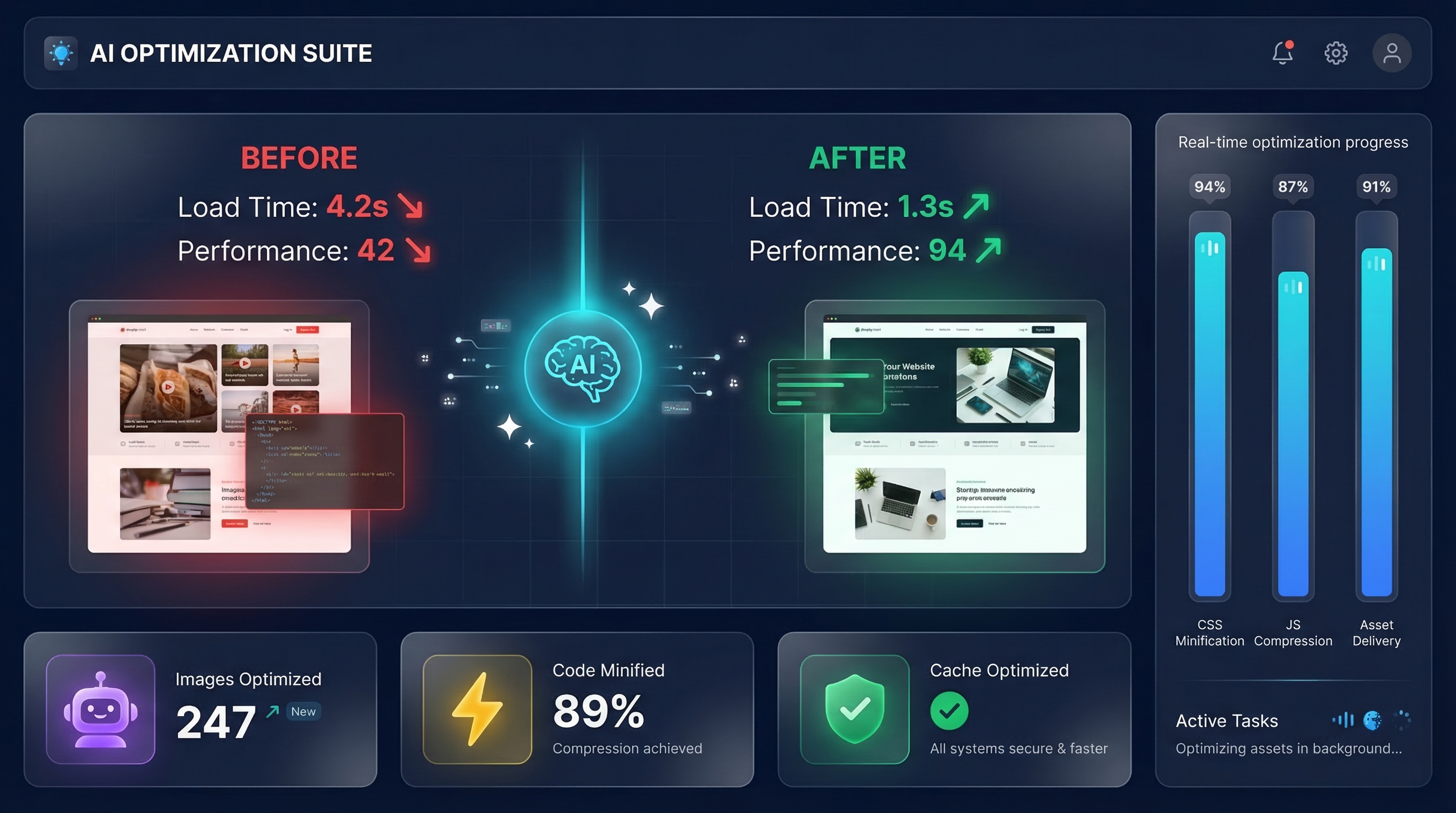
Tools like Nostra AI can be implemented in as little as 30 minutes without touching a single line of code. They use edge delivery networks with 310+ locations to automatically optimize content based on real-time user activity and website structure. The AI handles image compression, smart caching, and TTFB reduction without you lifting a finger.
Edge Delivery Network
310+ global locations serve your content from the closest server to each user. No configuration required.
Automatic Image Optimization
AI compresses images on the fly, converts to modern formats, and serves the optimal version per device.
Smart Caching
Learns from user behavior to predict and pre-cache the content most likely to be requested next.
Platform Integrations
Seamless setup for Shopify, BigCommerce, headless ecommerce, and custom platforms.
The ROI calculation is simple. If you're running an ecommerce site doing $50k/month in revenue, an 8.4% conversion boost from faster load times is an extra $4,200/month. Most AI optimization platforms cost $100-300/month. That's a 14x return.
Picture performance optimization as a way of future-proofing your ecommerce website's profitability, especially now that markets are getting more saturated while customers grow more impatient over time.
Nostra AI, Website Optimization Tools Guide
But honestly? If you're a small business doing under $10k/month in revenue, stick with the free tools from Sprints 1-3. The manual approach works. It just requires more ongoing attention.
Fixing INP and CLS: The Often-Overlooked Metrics
Everyone obsesses over LCP because it's easy to understand. Your site loads fast or it doesn't. But INP (Interaction to Next Paint) and CLS (Cumulative Layout Shift) are just as important, and most people ignore them until Google penalizes their rankings.
INP measures how long it takes your site to respond when someone clicks a button or taps a link. If your site feels sluggish, INP is why. The usual culprits: too many third-party scripts (Google Analytics, Facebook Pixel, chat widgets, etc.) and unoptimized JavaScript.
Fix INP in 10 Minutes
Remove any third-party scripts you don't actively use. Check your site's <head> section for tracking codes from tools you forgot about.
Defer non-essential JavaScript. Most page builders have a setting for this. Turn it on.
Disable or delay chat widgets until after the page loads. They're interaction killers.
Test on a real mobile device. INP issues are 3x worse on phones than desktops.
CLS is the one that makes your site feel broken. You go to click a button, and an ad loads above it, pushing everything down. You click the wrong thing. Infuriating. And Google knows it.
Common CLS Fixes
How do I fix images causing layout shift?
Add explicit width and height attributes to every image tag. Your CMS should have fields for this. If you're hand-coding, it looks like: <img src='image.jpg' width='800' height='600'>. The browser reserves space before the image loads.
What about ads and embedded content?
Reserve space for them with a placeholder div that matches their dimensions. If your ad is 300x250, create a 300x250 container for it. The ad loads into that space instead of pushing everything down.
Can web fonts cause CLS?
Yes. Use font-display: swap in your CSS to show fallback fonts immediately, then swap to your custom font when it loads. Or preload critical fonts in your <head> section.
What if I can't find the source of layout shift?
Use Chrome DevTools. Open DevTools, go to the Performance tab, check 'Web Vitals,' and record a page load. Chrome will show you exactly which elements are shifting and when.
Choosing the Right Tools: Free vs. Paid Decision Matrix
The question isn't whether you should optimize your site speed. The question is how much you should spend doing it. Here's the honest breakdown based on your traffic and revenue.
If you're under 10,000 monthly visitors, free tools are fine. PageSpeed Insights for diagnostics. TinyPNG for images. Cloudflare's free CDN. Your hosting provider's built-in caching. That's enough. You don't need to spend money yet.
Pros
Free tools: Zero cost. No contracts. You can implement everything in this guide without spending a dollar.
Free tools: Great for learning. You understand what's actually happening under the hood.
Paid platforms: Automatic and ongoing. They keep optimizing as your site changes and grows.
Paid platforms: Handle edge cases and advanced optimizations you'd never figure out manually.
Paid platforms: Time savings. Set it up once, forget about it. No monthly maintenance.
Cons
Free tools: Manual work every time you add content. You'll forget. Your site will slow down again.
Free tools: Limited to what you can configure through settings. No AI-driven optimizations.
Paid platforms: Monthly cost. Usually $100-500/month depending on traffic and features.
Paid platforms: Another vendor relationship to manage. Another login to remember.
Mid-traffic sites (10k-100k monthly visitors) should consider CDN solutions like Cloudflare's paid tiers or image optimization services. You're at the point where manual optimization becomes a part-time job. Automation starts making financial sense.
High-traffic ecommerce sites (100k+ visitors or $50k+/month revenue) should absolutely use AI-powered platforms. The math is simple: if a 0.1-second improvement adds 8.4% to conversions, and you're doing $100k/month, that's $8,400/month in extra revenue. A $300/month optimization platform pays for itself in the first week.
Small Sites (<10k visitors)
Stick with free tools. Manual optimization is fine at this scale. PageSpeed Insights + TinyPNG + Cloudflare free tier.
Growing Sites (10k-100k)
Add paid image optimization and CDN. Consider WP Rocket or similar caching plugins. Budget: $20-50/month.
High-Traffic Sites (100k+)
AI-powered platforms are ROI-positive. Nostra AI, Cloudflare Enterprise, or similar. Budget: $200-500/month.
One more consideration: your technical skill level. If you're comfortable in WordPress settings and can follow tutorials, free tools work. If the idea of editing your .htaccess file makes you nervous, pay for a platform that handles it. Your time has value too.
Frequently Asked Questions
What is a good website loading speed in 2025?
Under 2.5 seconds for LCP (Largest Contentful Paint). Under 200ms for INP (Interaction to Next Paint). Under 0.1 for CLS (Cumulative Layout Shift). These are Google's 'Good' thresholds for Core Web Vitals. Anything above these is 'Needs Improvement' or 'Poor.'
Can I really improve my site speed without hiring a developer?
Yes. The techniques in this guide require zero coding. You're using platform settings, free online tools, and one-click plugins. The only time you need a developer is if you want custom code optimization or you're building something from scratch.
What are Core Web Vitals and why do they matter for SEO?
Core Web Vitals are Google's user experience metrics: LCP (loading), INP (interactivity), and CLS (visual stability). Google uses them as ranking factors. Two sites with identical content? The faster one ranks higher. They also directly impact conversion rates and bounce rates.
How much does website speed affect conversion rates?
A 0.1-second improvement in loading speed can increase retail conversions by 8.4%. That's not a typo. Speed has a massive, measurable impact on revenue. Slow sites lose customers before they even see your product.
What's the difference between LCP, INP, and CLS?
LCP measures how fast your main content loads (target: under 2.5s). INP measures how quickly your site responds to clicks (target: under 200ms). CLS measures how much your layout shifts while loading (target: under 0.1). All three matter for Google rankings and user experience.
Should I use free tools or invest in paid optimization platforms?
If you're under 10k monthly visitors, free tools are fine. Between 10k-100k visitors, consider paid image optimization and CDN services ($20-50/month). Over 100k visitors or $50k/month revenue, AI-powered platforms ($200-500/month) are ROI-positive.
How do I know if my images are slowing down my website?
Run PageSpeed Insights. If it flags 'properly size images' or 'serve images in next-gen formats,' your images are the problem. Also check your image file sizes. Anything over 500KB for a web image is too big. Hero images should be under 200KB after compression.
Need Expert Help with Website Performance?
We've optimized hundreds of websites for speed, conversions, and user experience. If you want a team that understands both the technical side and the business impact, let's talk. Book a free discovery call and we'll audit your site's performance and show you exactly what's holding you back.