The Ultimate Guide to Ranking #1 with Google Business Profile in 2026
Master Google Business Profile optimization with our ultimate 2026 guide. Proven strategies to rank #1 in local search and drive more customers to your business.
 Written byPrithvi Jadwani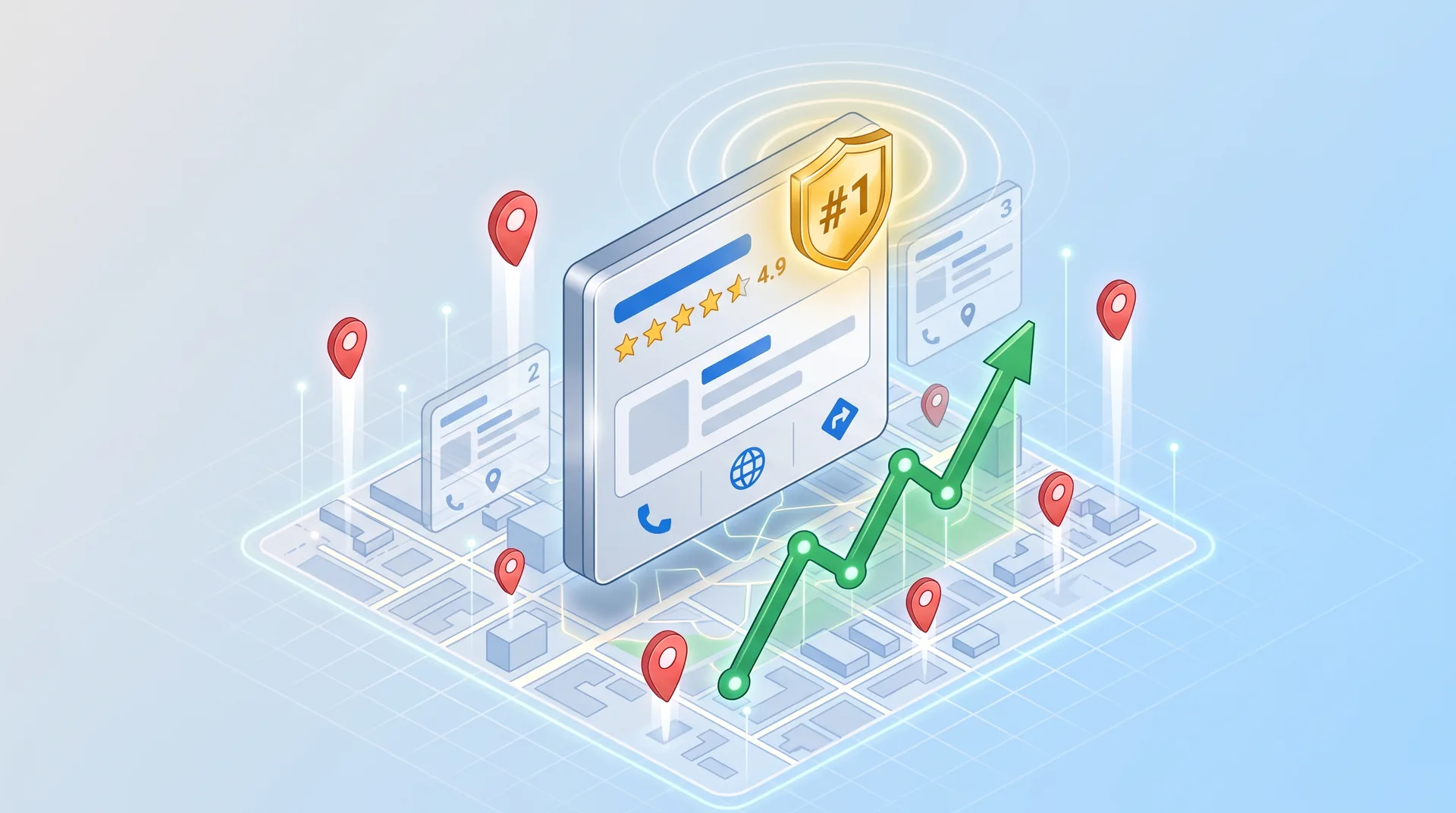
Table of contents
Summarize this article with AI
TL;DR
Most businesses treat their Google Business Profile like a digital business card. The ones ranking #1 treat it like a performance asset. In 2026, GBP optimization isn't about filling out forms anymore. It's about understanding Google's local algorithm, engineering review velocity, and using visual content as a ranking signal. I've helped 250+ clients dominate local search, and the gap between #1 and #4 in the local pack is the difference between printing money and being invisible.
- Three Pillars Control Everything. Google ranks local businesses on relevance, distance, and prominence. Master these three, and you control your visibility.
- Reviews Are Your Ranking Lever. Review velocity, recency, and keyword-rich responses signal authority to Google faster than anything else.
- Visual Content Drives Engagement. High-quality photos and videos don't just look good. They increase click-through rates and tell Google your profile is active.
- Off-Profile Signals Matter. Citations, local backlinks, and website optimization work together to amplify your GBP rankings.
- Optimization Is Continuous. The businesses that stay at #1 treat GBP like a living asset. Monthly updates, fresh content, and data-driven adjustments.
Why Google Business Profile Optimization Matters More Than Ever in 2026
Google Business Profile used to be called Google My Business. The rebrand wasn't just cosmetic. Google shifted GBP from a listings tool to a full customer engagement platform. And most businesses still treat it like a digital phone book.
Here is what changed: GBP now controls your visibility in the local 3-pack, Google Maps rankings, and even influences your organic SERP position for location-based queries. If you're a local business and your GBP isn't optimized, you're handing customers to competitors who figured this out six months ago.
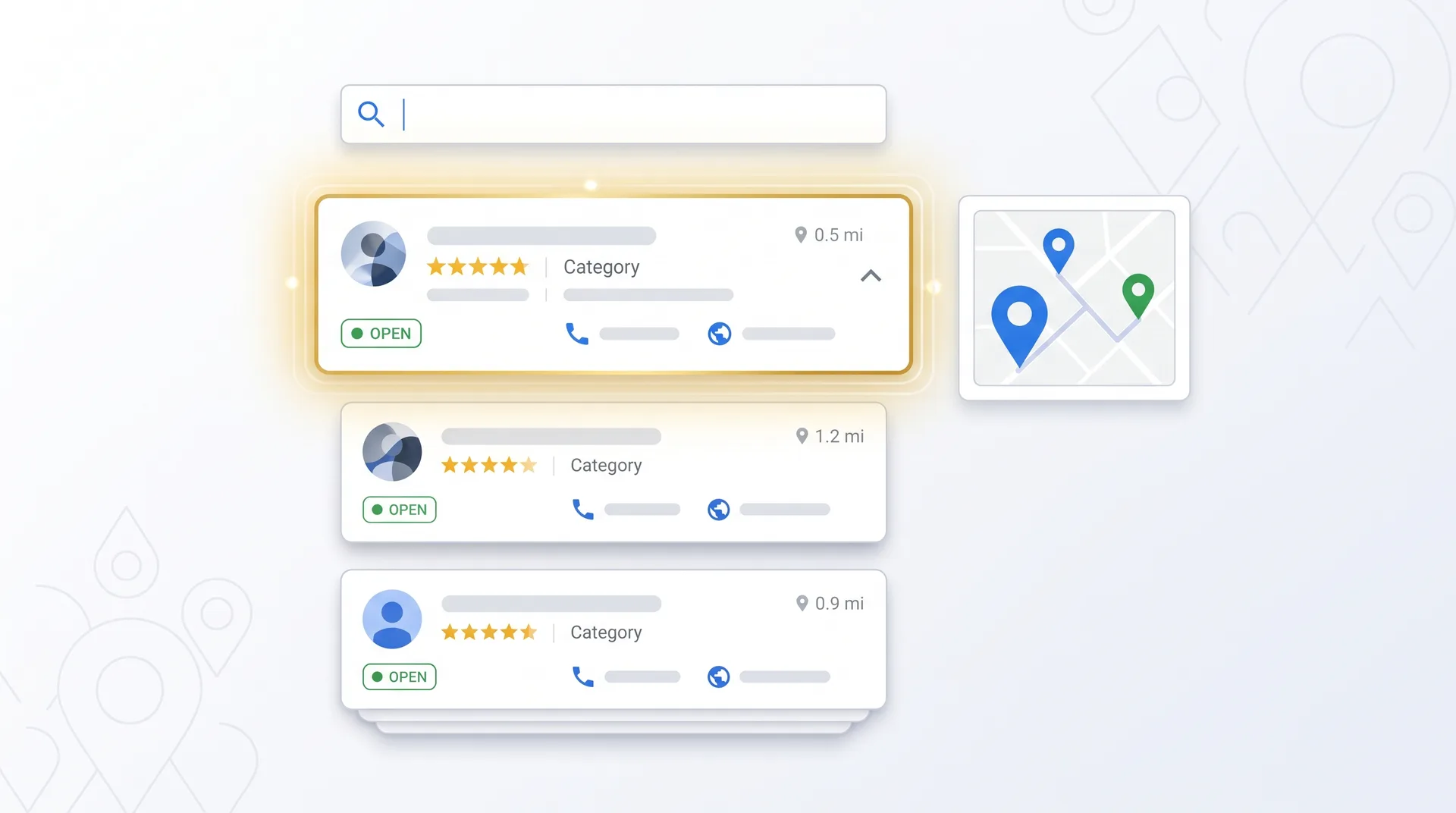
The local 3-pack sits at the top of search results, right before organic rankings. If you're not in that pack, you're invisible to most searchers. And the difference between position #1 and position #4 is brutal. Position #1 gets clicked. Position #4 gets scrolled past.
GBP optimization gives you two things: visibility and credibility. When someone searches for your service in your area, you either show up or you don't. And when you do show up, your profile either looks professional and trustworthy, or it looks like you don't care. There's no middle ground.
Understanding Google's Local Search Algorithm: The Three Pillars
Google's local algorithm ranks businesses based on three factors: relevance, distance, and prominence. These aren't guidelines. They're the only things that matter.
Relevance is how well your business matches what someone searched for. If someone types 'emergency plumber near me' and your GBP says you're a general contractor who also does plumbing, you're going to lose to the business whose entire profile screams 'emergency plumbing specialist.' Google matches search intent to business information. The more specific and accurate your profile, the better you rank for relevant searches.
Distance is simple: how far is your business from the person searching? You can't control where your customers are, but you can control how Google understands your service area. If you serve multiple locations, you need separate GBP listings for each one. If you're a service-area business without a physical location, you need to define your service radius clearly.
Prominence is your reputation. How well-known is your business? How many reviews do you have? How recent are they? What's your average rating? Are people linking to your website? Do you show up in local directories? Prominence is the hardest factor to manipulate, which is why it's the most powerful.
How does Google measure relevance for local rankings?
Google analyzes your business name, category, description, services, and posts to determine what you offer. It compares this to the searcher's query. The more precise your profile information, the better Google can match you to relevant searches. Use your primary category strategically and fill out every service you offer.
Can I rank #1 if my business is far from the city center?
Distance matters, but it's not the only factor. If you're further from the searcher but have stronger relevance and prominence signals (better reviews, more complete profile, higher authority), you can still outrank closer competitors. Focus on building prominence through reviews and citations.
What's the fastest way to improve prominence?
Generate consistent, high-quality reviews. Review velocity (how often you get new reviews) signals to Google that you're an active, trusted business. Pair this with citation building and you'll see prominence gains within 30-60 days.
Do these three factors have equal weight?
No. Google doesn't publish the exact weighting, but prominence (reputation and authority) tends to have the strongest impact when relevance and distance are comparable. Two businesses in the same category, same area? The one with better reviews and more citations wins.
How often does Google update the local algorithm?
Google makes continuous micro-adjustments. Major updates happen a few times per year. In 2026, Google has been emphasizing user engagement signals (clicks, calls, direction requests) more heavily. The businesses that generate action from their profiles are getting rewarded.
Essential Google Business Profile Setup: Getting the Fundamentals Right
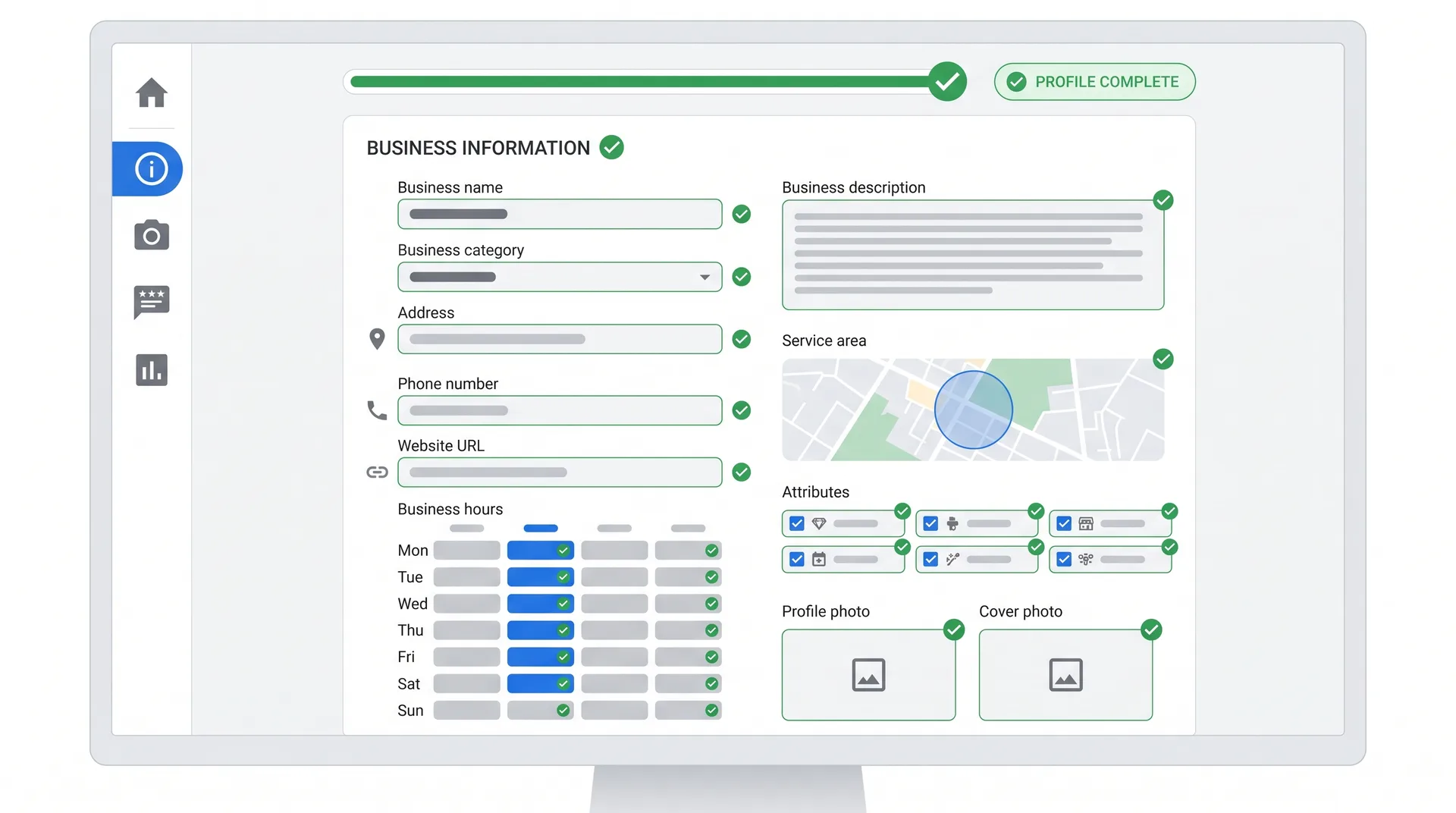
Most businesses screw up the basics. They claim their profile, fill out three fields, and wonder why they're not ranking. Here is what actually matters.
GBP Setup Checklist
Claim and verify your business through Google's verification process (postcard, phone, or email)
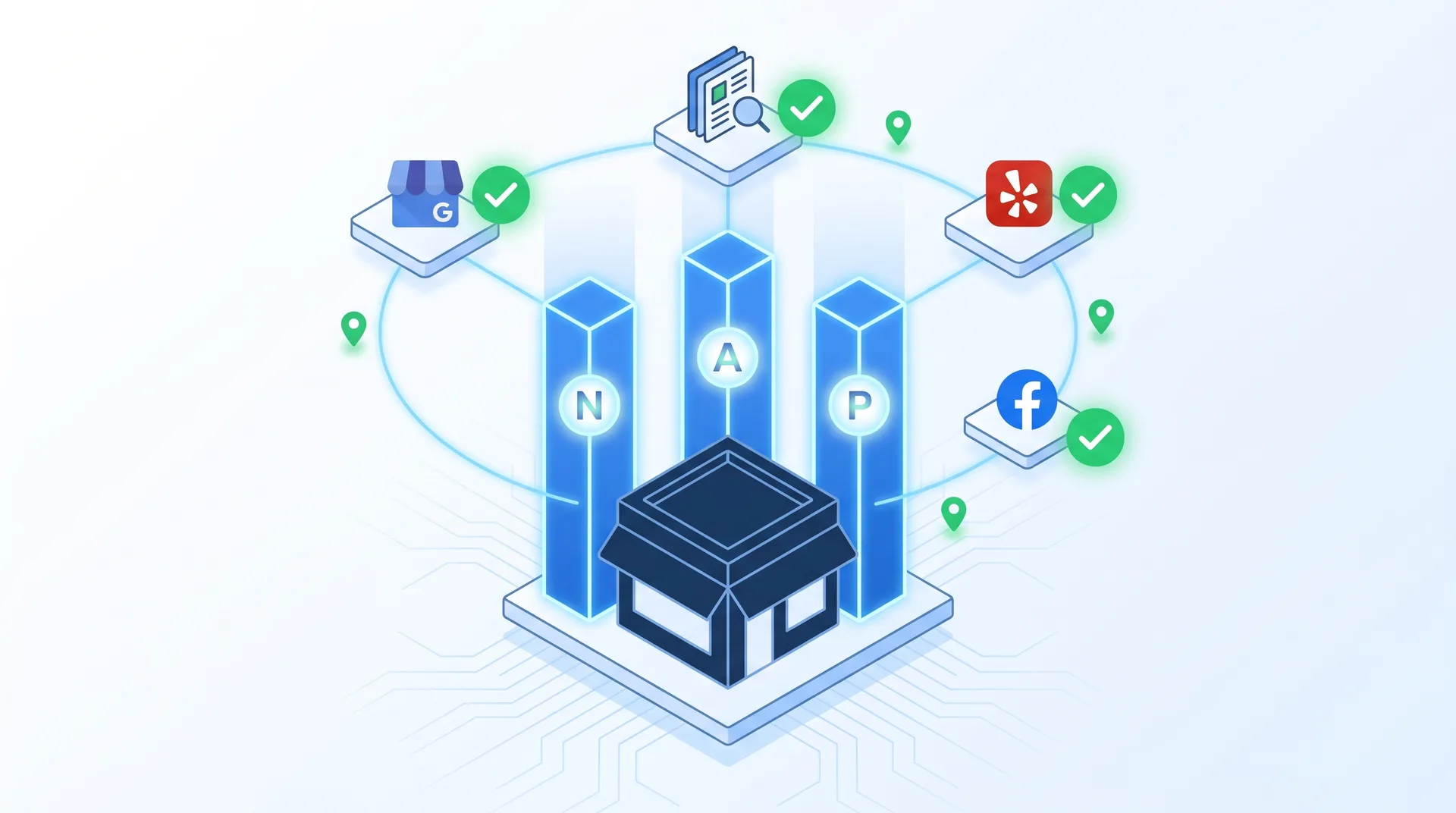
Ensure NAP consistency (Name, Address, Phone) matches exactly across your website, citations, and directories
Choose the most specific primary category that describes your core business
Add 5-9 secondary categories that cover your other services (don't spam irrelevant categories)
Fill out every business information field: hours, website, phone, attributes, services, description
Set up service areas if you're a service-area business (plumber, electrician, mobile service)
Add special hours for holidays and events to keep your profile accurate
Enable messaging so customers can contact you directly from your profile
NAP consistency is non-negotiable. If your GBP says '123 Main St' but your website says '123 Main Street,' Google sees that as a signal that something might be wrong. Use the exact same format everywhere. Same goes for your phone number. Don't use (555) 123-4567 in one place and 555-123-4567 in another.
Primary category is your biggest relevance signal. Don't pick a broad category when a specific one exists. If you're a personal injury lawyer, don't choose 'Lawyer.' Choose 'Personal Injury Attorney.' Google uses your primary category to determine which searches you're eligible to rank for.
Secondary categories give you more ranking opportunities, but don't go overboard. If you're a dentist, you can add 'Cosmetic Dentist' and 'Emergency Dental Service' as secondary categories. But don't add 'Medical Clinic' just to rank for more searches. Google will see through it, and it dilutes your relevance for the searches that actually matter.
Service-area businesses need to define their radius carefully. If you serve a 30-mile radius from your location, set that up in your GBP. Google will show your business to searchers within that area. But don't claim you serve a 100-mile radius if you don't. Google tracks whether you're actually getting customers from those areas.
Advanced Google Business Profile Optimization Strategies for 2026
The basics get you in the game. These strategies get you to #1.
Your business description is 750 characters of ranking opportunity. Most businesses waste it with generic fluff. 'We're a family-owned business committed to quality service.' Cool. So is everyone else. Use your description to include your primary keywords naturally, highlight what makes you different, and tell Google exactly what you do.
Example: 'Emergency plumber serving downtown Chicago since 2015. We handle burst pipes, water heater repairs, and drain cleaning 24/7. Licensed, insured, and rated 4.9 stars by 300+ customers. Same-day service available.' That description tells Google and customers exactly what you offer, where you serve, and why you're trustworthy.
Google Posts
Post weekly updates, offers, or news. Google Posts signal that your profile is active and managed. They show up in your profile and can include CTAs. Use them to promote seasonal services, new offerings, or time-sensitive deals.
Q&A Section
Seed your Q&A with common questions customers ask. Answer them with keyword-rich responses. Don't wait for customers to ask. Control the narrative by asking and answering the questions yourself.
Products & Services
Add every service you offer with detailed descriptions. Each service is another opportunity to rank for specific searches. Include pricing if you can. Transparency builds trust.
Attributes & Special Hours
Enable every relevant attribute (wheelchair accessible, free Wi-Fi, outdoor seating). Update special hours for holidays. These details improve user experience and signal completeness to Google.
Google Posts are underrated. They expire after seven days, which means you need to post consistently. But they're free real estate on your profile. Post about new services, customer success stories, seasonal promotions, or industry tips. Each post is indexed by Google and can show up in search results.
Post at least once per week to signal profile activity
Include a clear call-to-action in every post (Book Now, Call Today, Learn More)
Use high-quality images in your posts to increase engagement
Promote time-sensitive offers to create urgency
Repurpose blog content or customer testimonials as posts
The Q&A section is a goldmine most businesses ignore. Customers can ask questions directly on your profile, and anyone can answer them. If you don't control this section, competitors or trolls will. Seed it with 10-15 common questions and answer them yourself. 'Do you offer emergency services?' 'Yes, we provide 24/7 emergency plumbing services in Chicago and surrounding areas.' That's a keyword-rich answer that helps both Google and customers.
Add booking buttons and enable messaging if your business model supports it. These features increase engagement, and Google rewards profiles that generate action. The more people click 'Book Appointment' or send you a message, the more Google sees your profile as valuable.
Mastering Reviews: Your Secret Weapon for #1 Rankings
Reviews are the single most powerful ranking factor you can control. Not the only factor, but the one with the highest ROI for your effort.
Google looks at three things: review quantity (how many you have), review quality (your average rating), and review recency (how recent your latest reviews are). A business with 200 reviews and a 4.8-star average will almost always outrank a business with 50 reviews and a 5.0-star average. Volume matters.
But here is the part most people miss: review velocity matters more than total count. A business that gets 10 reviews per month consistently will rank higher than a business that got 100 reviews two years ago and nothing since. Google wants to see that you're actively earning customer trust right now.
Pros
Ask for reviews immediately after service delivery while experience is fresh
Send follow-up emails with direct GBP review link to make it easy
Respond to every review (positive and negative) within 24-48 hours
Use review responses to naturally include keywords and reinforce your services
Incentivize reviews with non-monetary rewards (entry into a drawing, loyalty points)
Cons
Buying fake reviews (Google detects and penalizes this)
Offering direct payment or discounts for reviews (violates Google's policy)
Asking for reviews only from happy customers (creates unnatural 5.0 average)
Ignoring negative reviews or responding defensively
Generating 50 reviews in one week then going silent for months (suspicious pattern)
Responding to reviews is not optional. Every review you respond to is another piece of indexed content on your profile. Use your responses to thank customers, address concerns, and naturally include keywords. 'Thanks for choosing us for your emergency plumbing repair! We're glad we could fix your burst pipe quickly.' That response reinforces your service keywords and shows Google (and customers) that you're engaged.
Negative reviews happen. How you handle them matters more than the review itself. Respond professionally, acknowledge the issue, and offer to make it right. 'We're sorry your experience didn't meet expectations. We'd like to resolve this. Please call our office at [number] so we can make this right.' That response shows future customers that you care about service quality.
Tools like Podium, Birdeye, and Grade.us can automate review requests and make it easier to generate consistent review flow. But don't rely on automation alone. The best review generation happens through personal asks. Train your team to request reviews verbally after every successful job.
Visual Content Strategy: Photos, Videos, and Virtual Tours
Photos and videos aren't just nice to have. They're ranking signals and conversion drivers.
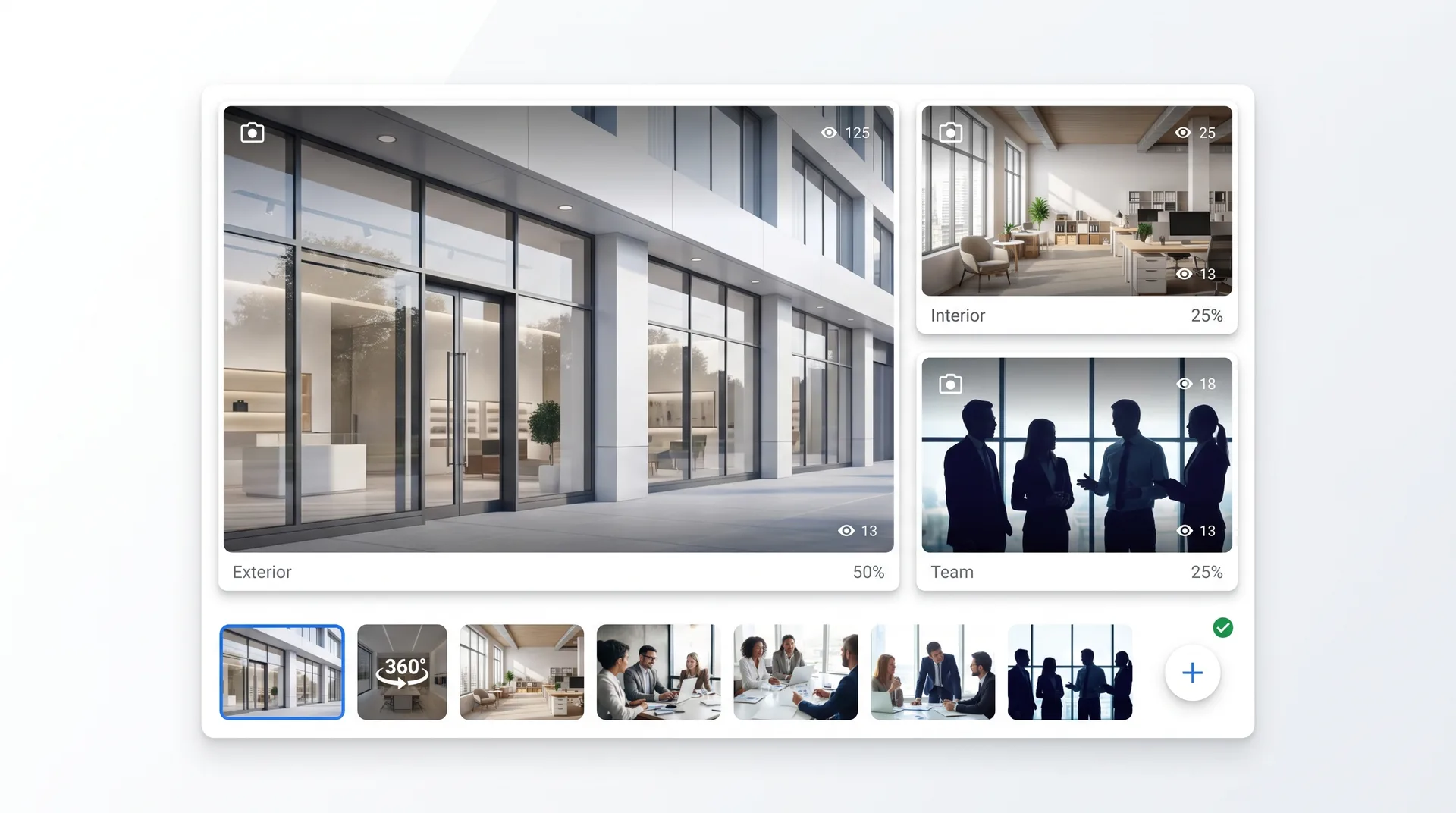
Businesses with photos get 42% more direction requests and 35% more clicks to their website than businesses without photos. That's not a small difference. And Google tracks these engagement metrics. More engagement equals better rankings.
Exterior photos: Show your storefront, signage, and parking. Help customers find you easily.
Interior photos: Give people a sense of your space. Clean, well-lit, professional.
Product photos: If you sell physical products, show them. High-quality images build trust.
Team photos: Put faces to your business. People buy from people.
At-work photos: Show your team in action. Builds credibility and demonstrates expertise.
Before/after photos: If you're in a transformation business (contractor, landscaper, dentist), show results.
Upload at least 10-20 high-quality photos when you first set up your profile. Then add 2-3 new photos every month. Fresh visual content signals that your business is active. Google rewards activity.
Video content is the next level. Google prioritized video in GBP profiles in 2025, and that trend is accelerating in 2026. Upload short videos (30-60 seconds) that show your business, introduce your team, or demonstrate your services. Videos get more engagement than photos, and engagement drives rankings.
360-degree virtual tours give you a competitive edge. They're expensive to produce, but they create an immersive experience that keeps users on your profile longer. Longer dwell time signals to Google that your profile is valuable. If you're in hospitality, retail, or any business where your physical space matters, virtual tours are worth the investment.
Image specs matter. Upload photos at least 720px wide and 720px tall. Use JPG or PNG format. Keep file sizes under 5MB. And for the love of all things holy, don't upload blurry phone photos. Invest in decent photography or hire a local photographer for a few hours.
Building Authority: Off-Profile Factors That Boost Your GBP Rankings
Your GBP doesn't exist in a vacuum. Google looks at signals across the web to determine your authority.
Citations are mentions of your business name, address, and phone number on other websites. Think: Yelp, Yellow Pages, industry directories, local chamber of commerce sites. The more consistent citations you have, the more Google trusts that you're a legitimate, established business.
Start with the big directories: Yelp, Facebook, Bing Places, Apple Maps, Better Business Bureau. Then move to industry-specific directories. If you're a lawyer, get listed on Avvo and FindLaw. If you're a contractor, get on Angi and HomeAdvisor. If you're a restaurant, make sure you're on OpenTable and TripAdvisor.
Local Link Building
Get backlinks from local news sites, community blogs, and local business associations. A link from your city's chamber of commerce website carries more weight for local rankings than a link from a national blog.
Social Signals
Active social media profiles (especially Facebook and Instagram) indirectly support your GBP rankings. Google sees social activity as a trust signal. Post regularly and engage with your community.
Website Optimization
Your website needs to be fast, mobile-friendly, and location-optimized. Create dedicated landing pages for each service area you cover. Use local schema markup to help Google understand your business.
Local Content Marketing
Publish blog posts about local events, neighborhood guides, or local industry news. Content that mentions your city and service area reinforces your local relevance to Google.
Local backlinks are gold. A link from a local news article about your business, a mention on your city's official website, or a feature in a local business roundup carries serious weight. Reach out to local journalists, sponsor community events, and get involved in local business associations. These activities generate backlinks naturally.
Your website needs to support your GBP, not compete with it. Make sure your website's contact page has the exact same NAP information as your GBP. Add local schema markup to your homepage and contact page so Google can easily parse your business information. Create location-specific landing pages if you serve multiple areas.
If you want to take your local SEO to the next level and need help with citation building, website optimization, or a full local SEO strategy, we've built systems that scale this work without sacrificing quality.
Monitoring, Analytics, and Continuous Optimization
Ranking #1 is not a one-time achievement. It's a maintenance job.
Your GBP Insights dashboard shows you how people find your profile, what actions they take, and how you compare to competitors. Check it weekly. The metrics that matter: search queries (how people found you), views (how many people saw your profile), actions (calls, website clicks, direction requests), and photo views.
If your profile views are high but actions are low, you have a conversion problem. Your profile looks good in search results, but something about it isn't compelling enough to make people act. Fix your photos, update your description, or add more reviews.
If your actions are high but you're not getting actual customers, you have a qualification problem. You're attracting the wrong audience. Tighten your targeting by refining your categories, updating your service descriptions, or adjusting your service area.
Monthly GBP Optimization Checklist
Review GBP Insights: track views, actions, and search queries
Respond to all new reviews (positive and negative)
Add 2-3 new photos or 1 new video
Publish 4 new Google Posts (one per week)
Update business hours, services, or attributes if anything changed
Check for and remove spam reviews or fake Q&A entries
Monitor competitor profiles: what are they doing that you're not?
Audit NAP consistency across top 10 citation sources
Test a new CTA or offer in your description or posts
Competitor analysis is critical. Search for your main keywords and see who's ranking above you. What are they doing differently? Do they have more reviews? Better photos? More complete profiles? Don't copy them, but learn from them. If a competitor is ranking #1 with 150 reviews and you have 80, you know what you need to do.
A/B testing works on GBP too. Try different descriptions, different primary photos, different CTAs in your posts. Track what drives more actions. Google doesn't give you split-testing tools, but you can test changes manually over 30-day periods and compare performance.
The businesses that dominate local search in 2026 treat their Google Business Profile like a performance asset, not a static listing. They update it monthly, respond to every review, and use data to guide their decisions.
Prithvi Jadwani, TechDevs Local SEO Strategy
Use Google Analytics to track how much traffic your GBP sends to your website. Set up UTM parameters on your GBP website link so you can see exactly how many conversions come from your profile. If GBP is driving traffic but not conversions, your website has a problem, not your profile.
AI tools can help you monitor performance and identify optimization opportunities faster. Tools like BrightLocal, Whitespark, and Local Falcon give you automated insights, rank tracking, and competitor monitoring. But the best insights still come from talking to your customers and asking how they found you.
Frequently Asked Questions
How long does it take to rank #1 on Google Business Profile?
It depends on your market and competition. In a small town with weak competition, you can hit #1 in 30-60 days with a complete profile and 20-30 reviews. In a competitive city market, expect 3-6 months of consistent optimization. The businesses that rank fastest are the ones that nail the fundamentals immediately and generate review velocity from day one.
What's the difference between Google Business Profile and Google My Business?
They're the same thing. Google rebranded Google My Business (GMB) to Google Business Profile (GBP) in 2021. The functionality is the same, but Google has added more features like messaging, booking buttons, and enhanced post options since the rebrand.
Can I rank #1 if my business is outside the city center?
Yes. Distance matters, but it's only one of three ranking factors. If you have stronger relevance and prominence signals (better category match, more reviews, higher rating, more citations), you can outrank businesses that are closer to the searcher. Focus on building authority through reviews and off-profile signals.
How many reviews do I need to rank in the local 3-pack?
There's no magic number. It depends on your competitors. If the #3 business in your market has 50 reviews, you need more than 50. If they have 200, you need more than 200. But review velocity matters more than total count. A business with 80 reviews and 10 new reviews per month will often outrank a business with 150 reviews and zero new reviews in the last six months.
Does posting regularly on Google Business Profile improve rankings?
Yes. Google Posts signal that your profile is active and managed. They also create fresh indexed content that can show up in search results. Post at least once per week. Businesses that post consistently see higher engagement and better rankings than businesses that never post.
What should I do if my Google Business Profile gets suspended?
First, figure out why. Google suspends profiles for policy violations: fake address, keyword-stuffed business name, fake reviews, or operating outside their guidelines. Fix the violation, then request reinstatement through the Google Business Profile support form. Be prepared to provide verification documents. Reinstatement can take 2-4 weeks.
How does Google Business Profile optimization differ from traditional SEO?
Traditional SEO focuses on ranking your website in organic search results. GBP optimization focuses on ranking your business in local search results (Maps and local 3-pack). The ranking factors overlap but aren't identical. GBP heavily weights reviews, proximity, and profile completeness. Traditional SEO weights backlinks, content quality, and technical site performance. You need both strategies, but they serve different search intents.
Ready to Dominate Local Search in Your Market?
We've helped 250+ businesses rank #1 in their local markets. If you want a Google Business Profile strategy that actually drives customers (not just views), let's talk. Book a free discovery call and we'll audit your profile, identify what's holding you back, and build a plan to get you to #1.