Google My Business Has Changed in 2026 – Here's What You Need to Know
Google My Business transformed in 2026. Discover the key updates, new features, and what they mean for your local SEO strategy. Stay ahead of the competition.
 Written byPrithvi Jadwani
Table of contents
Summarize this article with AI
TL;DR
Google Business Profile (the platform formerly known as Google My Business) went through its biggest transformation in 2026. Video verification is now the default, primary category selection became the single biggest ranking lever, and AI-generated summaries are rewriting how your business shows up in search. If you are still treating your GBP like a set-it-and-forget-it listing, you are handing customers to competitors who figured this out six months ago.
- Video Verification Is the New Standard. Record one continuous clip showing signage, interior, and live management action. Google reviews it in 24-72 hours.
- Primary Category = Biggest Ranking Lever. Choosing 'Personal Injury Attorney' over 'Law Firm' can shift Maps visibility more than any other single edit.
- Review Velocity Beats Review Count. Steady flow of 2-5 reviews per week over 90 days ranks better than a burst of 50 followed by silence.
- AI Summaries Rewrite Your Story. Google Maps AI pulls from reviews, posts, and web content. Thin profiles get less favorable descriptions.
- Multi-Location Management Centralized. All location groups, bulk edits, and permissions now live in business.google.com. Legacy interface is gone.
What Changed with Google My Business in 2026?
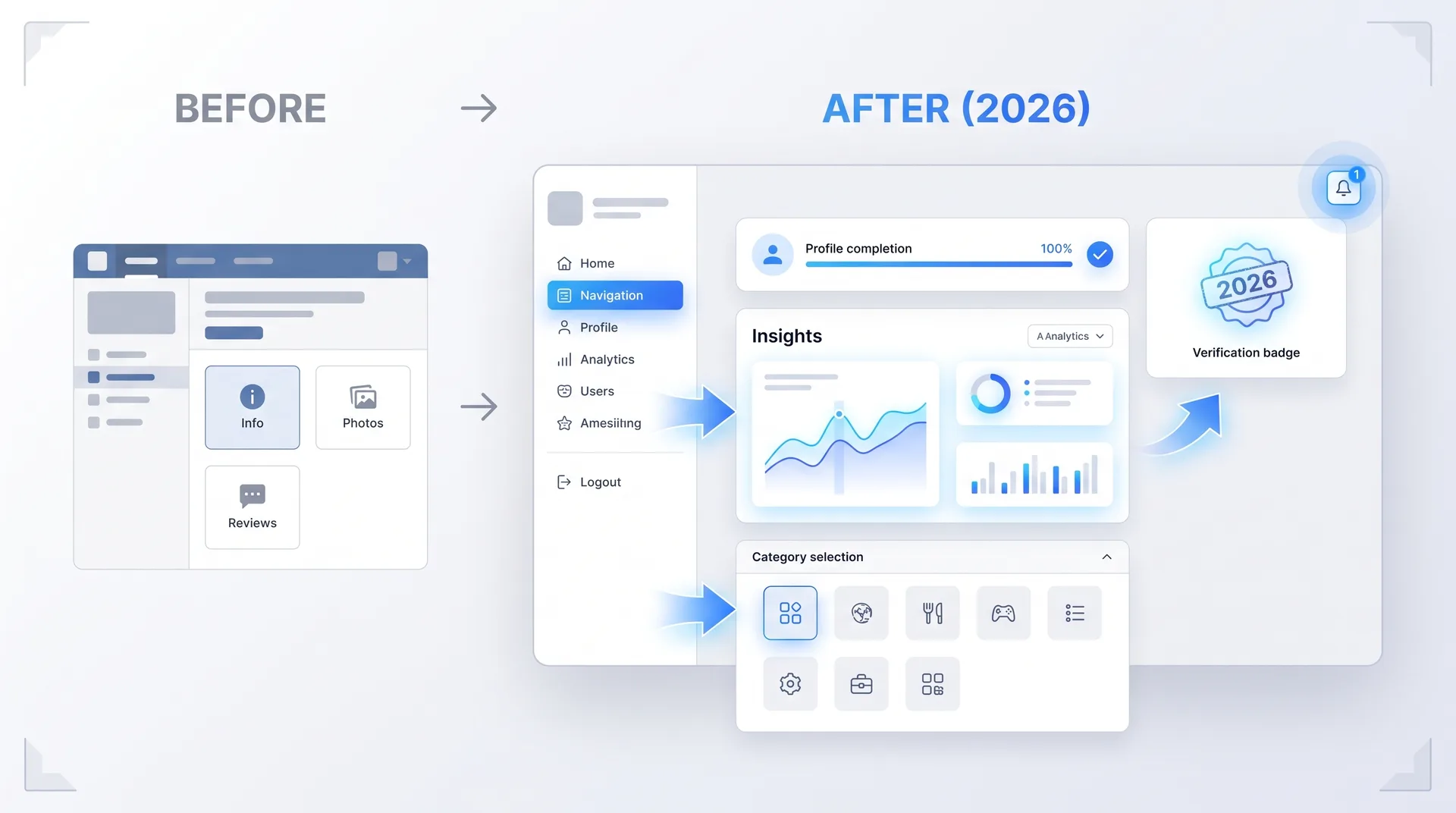
Let's get one thing straight: it's not called Google My Business anymore. Google Business Profile (GBP) is the official name, and if you are still saying GMB in 2026, you are dating yourself. More importantly, you are probably missing the massive shifts that happened over the past 18 months.
There are now over 200 million verified GBP listings globally. The average profile gets 1,260 monthly views. That's not vanity metrics. That's discovery infrastructure. And 46% of local searches now show Maps results, which means your GBP is often the first thing a potential customer sees.
The legacy mobile-only manager finally sunset in 2025. Everything now runs through business.google.com. If you were managing profiles through the old per-listing interface, that workflow is dead. Multi-location teams, bulk edits, user permissions, all of it lives in the new Business Profile Manager now.
The New Verification Process: Video Is Now the Default
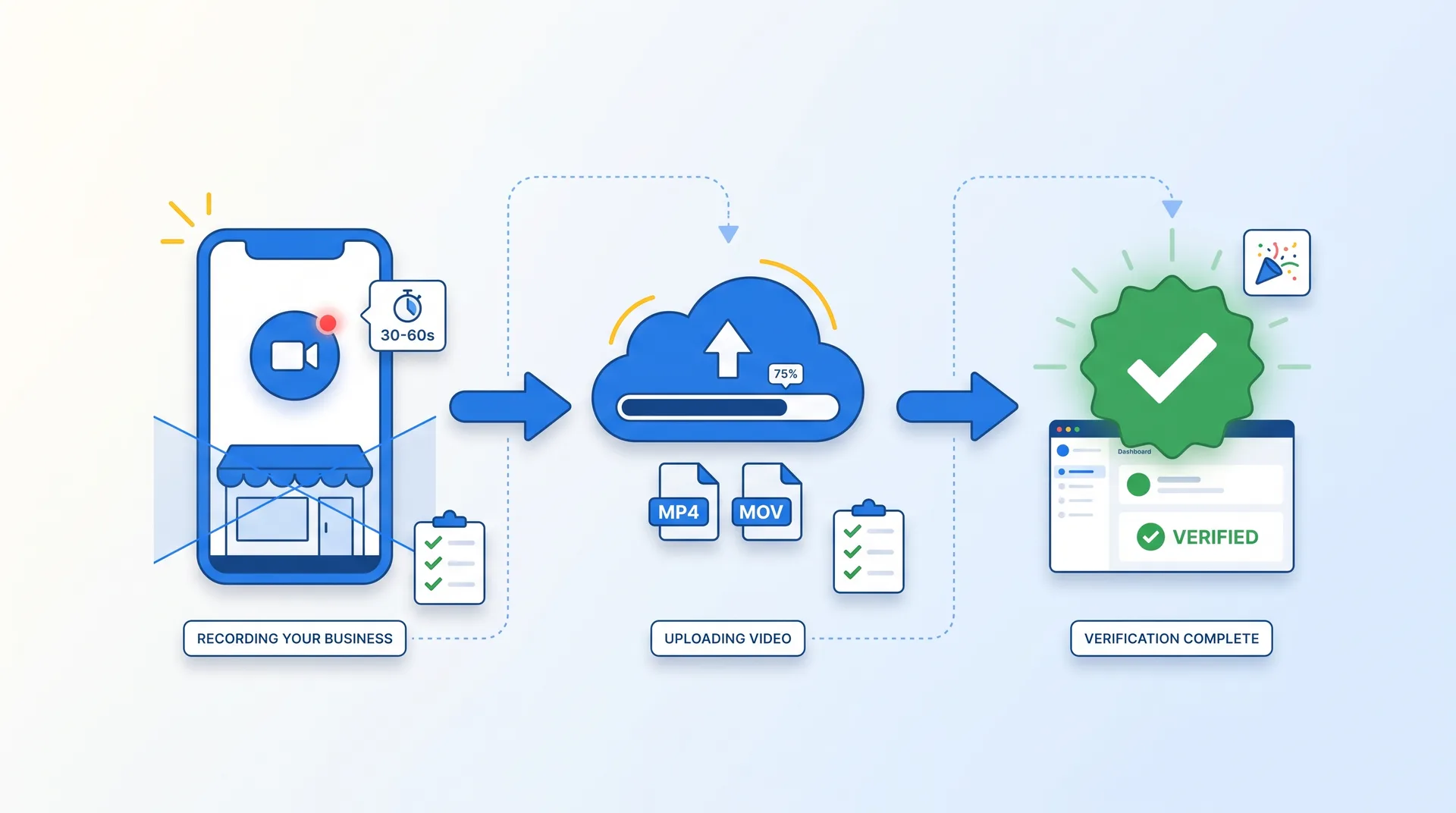
If you are setting up a new GBP listing in 2026, you are recording a video. That's the default verification path for storefronts and most service businesses now. Postcard verification has been deprecated for the majority of service-area businesses. Phone and email verification? Reserved for a narrow set of pre-qualified categories that Google decides, not you.
Here is what Google wants to see in your video: one continuous, unedited clip that shows the exterior signage with your exact business name, a wide interior pan that confirms the space matches your category, and a live management action. Unlock the cash drawer. Log into the booking tablet. Open a staff area. Something that proves you actually run the place.
Record in one continuous take. No cuts, no edits, no stitching clips together.
Show exterior signage clearly with the exact business name visible.
Pan the interior to match your claimed category (law office, retail store, restaurant kitchen, etc.).
Include a live management action that only staff would have access to.
Submit and wait 24-72 hours for Google's review.
Most rejections trace back to blurry signage, stitched clips, or a video shot at a residential address for a business claiming a commercial location. If you operate in a region where postcard is still offered alongside video, pick video. It's faster and produces a richer trust signal that reduces the chance of a later suspension.
Common Video Verification Questions
How long does video verification take for Google My Business in 2026?
Google reviews most video submissions within 24 to 72 hours. If your video is clear, continuous, and shows all required elements (signage, interior, management action), approval is usually fast. Rejections happen when clips are stitched, signage is blurry, or the location doesn't match the claimed category.
Can I still use postcard verification for my Google Business Profile?
Postcard verification is still available for a shrinking set of low-risk categories and certain jurisdictions where video isn't yet localized. But availability is limited, and turnaround is 10-14 days. If you have the option between video and postcard, choose video. It's faster and builds a stronger trust signal.
What happens if my video verification gets rejected?
Google will tell you why. Most rejections are for stitched clips, unclear signage, or a mismatch between the video location and the claimed business address. Fix the issue and resubmit. You can record a new video and try again immediately.
How Primary Category Selection Became Your Biggest Ranking Lever
Most people treat primary category selection like a formality. Pick something close enough, move on. That's a mistake that costs you visibility every single day.
Primary category is the single most impactful on-profile ranking factor. Switching a law firm from 'Law Firm' to 'Personal Injury Attorney' can change Maps visibility more than any other edit you make. It's not about gaming the system. It's about being specific. Google rewards specificity because it helps them serve better results.
And remember, 46% of local searches now show Maps results. Your primary category determines whether you show up in those results or not. It's not a small decision.
Primary Category Optimization Checklist
Audit your current primary category. Is it the narrowest accurate option?
Check Google's full category list for more specific alternatives.
Test category changes in low-stakes markets first if you operate multiple locations.
Monitor Maps pack rankings for your target keywords after making changes.
Add secondary categories for breadth, but never dilute your primary.
Review Velocity vs. Review Count: The 2026 Ranking Reality
Here is what most businesses get wrong about reviews: they think total count is the game. Accumulate 100 reviews, 200 reviews, 500 reviews, and you win. That's not how Google sees it in 2026.
Review velocity beats review count. A steady flow of reviews over 90 days ranks better than a sudden burst of 50 followed by silence. Google wants to see that you are consistently delivering value, not that you ran a review campaign six months ago and then went quiet.
The optimal target is 2-5 fresh reviews per week over a 90-day period. And you need to respond to those reviews within 24 hours. Response time matters. It signals to Google that you are active, engaged, and paying attention to customer feedback.
Pros
Steady flow signals consistent service quality to Google
2.8x higher click-through rates when velocity is maintained
Responses under 24 hours boost engagement signals
Spreads review content over time, feeding AI summaries continuously
Cons
Sudden bursts followed by silence hurt rankings
High total count with no recent reviews looks inactive
One-time review campaigns create unnatural patterns
Lack of responses signals disengagement to both Google and customers
So if you have been saving up for one big review push, stop. Build a system that generates a steady trickle instead. Automate follow-ups. Train your team to ask. Make it part of your post-service workflow. Consistency wins.
AI-Generated Summaries: How Google Rewrites Your Business Story
Google Maps now generates AI summaries for every business profile. These summaries pull from your reviews, your posts, and your web content. They show up in zero-click surfaces, which means they control the first impression a potential customer gets before they ever click through to your website or call your business.
Here is the problem: thin or outdated profiles get less favorable AI-generated descriptions. Your review score doesn't matter if your profile content is stale. The AI is looking for fresh, detailed signals to work with. If you haven't updated your posts in six months, if your service descriptions are generic, if your photos are old, the AI has nothing good to say about you.
AI summaries have rewritten the zero-click surface. Google Maps AI-generated place summaries in 2026 pull from reviews, posts, and web content. Thin or outdated profiles get less favourable summaries regardless of review score.
Digital Applied, Google Business Profile 2026 Guide
This is why Google My Business optimization is no longer optional. You are not just optimizing for search rankings. You are optimizing for how an AI interprets your business and presents it to potential customers.
Posts, Events, and Offers: Engagement Signals, Not Ranking Signals
Let's clear this up: Posts do not directly move your Maps pack position. They are not a ranking signal in the traditional sense. But they do lift click-through rates in the local panel, and that engagement matters.
Think of Posts as conversion assets, not SEO shortcuts. Publishing weekly Posts, Events, and Offers keeps your profile active, gives potential customers a reason to engage, and feeds the AI summaries with fresh content. But don't expect a post to magically bump you from position four to position one in the local pack.
Events
Announce upcoming workshops, sales, or community events. Time-sensitive content drives urgency.
Offers
Promote discounts, seasonal deals, or limited-time promotions. Include clear CTAs.
Updates
Share news, new services, or behind-the-scenes content. Keep your profile feeling alive.
The optimal posting cadence is weekly. Not daily, not monthly. Weekly. It signals consistent activity without spamming. And when you do post, make it customer-focused. Nobody cares that you are 'excited to announce' something. Tell them what they get, why it matters, and what to do next.
Post weekly to maintain consistent activity signals
Use Events for time-sensitive promotions and community engagement
Include clear CTAs in Offers (book now, call today, visit this week)
Treat Posts as customer communication, not ranking tactics
Update photos regularly to feed AI summaries with fresh visual content
Managing Multiple Locations in the New Business Profile Manager
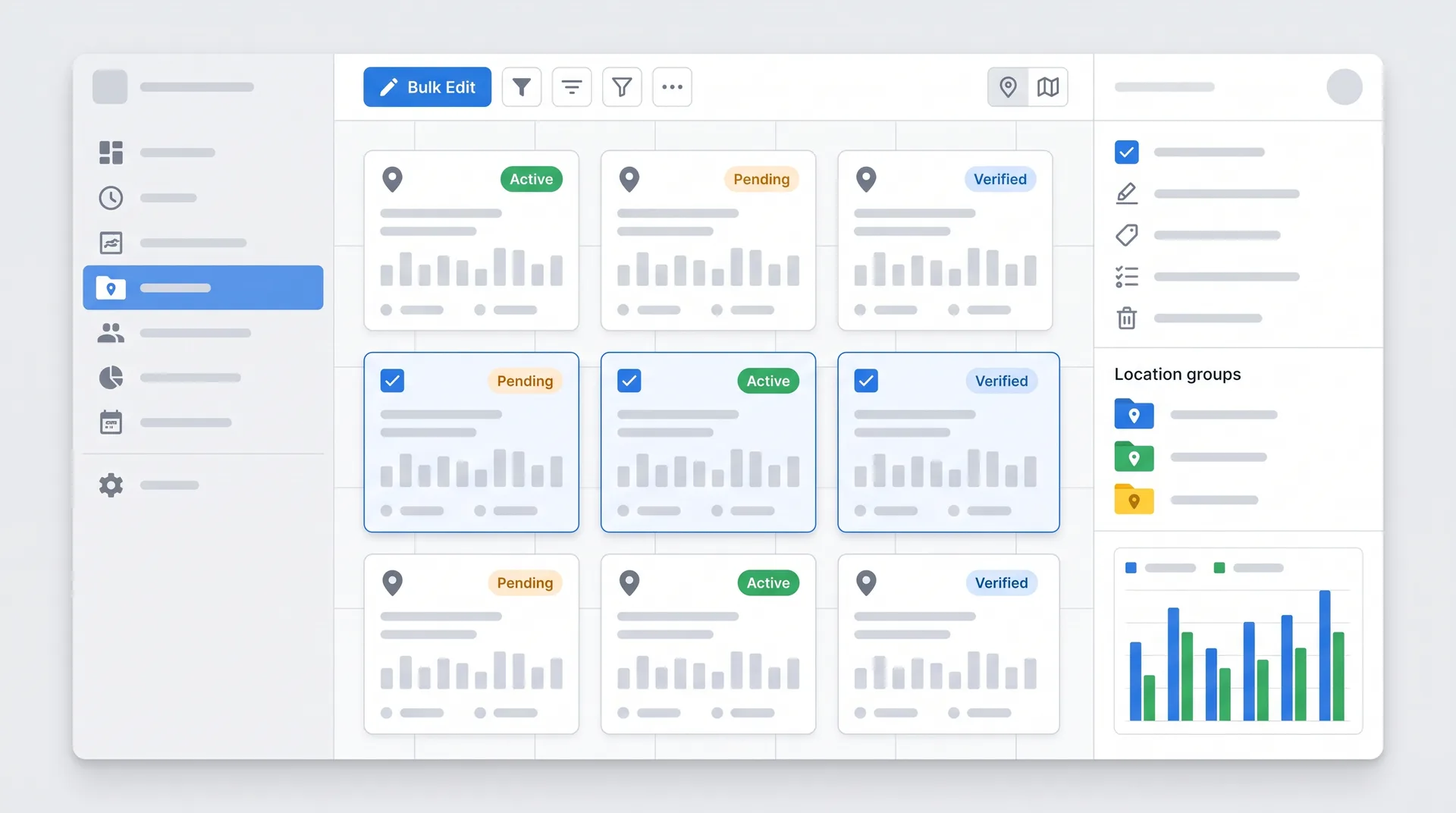
If you manage more than one location, the workflow you used in 2024 is gone. The legacy per-profile interface sunset in 2025. Everything now lives in business.google.com, and it's built for scale.
Location Groups let you organize properties by region, brand, or franchise. Bulk edits mean you can update hours, services, or attributes across dozens of locations in one action. User permissioning is centralized, so you can grant access to local managers without giving them control over the entire account.
Log into business.google.com and navigate to Location Groups
Organize locations by region, brand, or operational structure
Use bulk edit tools to update hours, services, and attributes across multiple profiles
Set user permissions at the location or group level
Monitor performance across all locations from the centralized dashboard
This is a huge improvement for franchises, multi-location retailers, and service businesses operating across multiple markets. The old workflow required logging into each profile individually. Now you can manage 50 locations in the time it used to take to update five.
Multi-Location Management FAQ
Where do I manage multiple business locations in 2026?
All multi-location management now happens in business.google.com. The legacy per-profile interface is gone. You can create Location Groups, perform bulk edits, and manage user permissions from one centralized dashboard.
Can I give local managers access to their specific location without full account control?
Yes. The new Business Profile Manager lets you set user permissions at the location or group level. A local manager can update hours, respond to reviews, and post updates for their location without accessing other properties.
What happened to the old mobile-only manager?
It sunset in 2025. Everything has been consolidated into the web-based Business Profile Manager at business.google.com. The mobile app still exists for quick updates, but all serious management work happens on desktop now.
Your 2026 Google Business Profile Action Plan
Here is what you need to do right now. Not next quarter. Not when you have time. Now.
Immediate Action Items
If you have new listings or need re-verification, record your video today. Get it submitted within 24-72 hours.
Audit your primary category. Is it the narrowest accurate option? If not, change it.
Build a review generation system that targets 2-5 reviews per week. Automate follow-ups, train your team, make it part of your workflow.
Refresh your profile content. Update service descriptions, add new photos, post weekly updates. Feed the AI summaries with fresh signals.
If you manage multiple locations, migrate your workflows to business.google.com. Set up Location Groups and bulk edit templates.
Shift your Posts strategy from ranking focus to conversion focus. Write for customers, not algorithms.
And if you want help building a local SEO strategy that actually works in 2026, we have done this for 250+ clients. We know what moves the needle.
Ready to Own Your Local Search Territory?
We have helped 250+ businesses dominate their local markets through strategic Google Business Profile optimization and local SEO. If you are serious about capturing more customers from local search, let's talk.